You open your helpdesk on Monday morning. There are 300 new tickets from the past week. Somewhere in that stack is a sizing issue generating 30 returns a month, a packaging defect customers have mentioned 20 times, and a question that belongs in your product description instead of your inbox.
But if your tickets aren't consistently tagged -- or weren't tagged at all -- all you see is 300 individual conversations. You're responding to problems one at a time instead of fixing the root cause once. AI ticket tagging for ecommerce closes this visibility gap by classifying every incoming ticket automatically, assigning each one a consistent label before any agent touches it.
What most guides on AI ticket tagging skip: what happens after the tags start piling up. Tagging is infrastructure. Acting on the tagged data is the strategy.
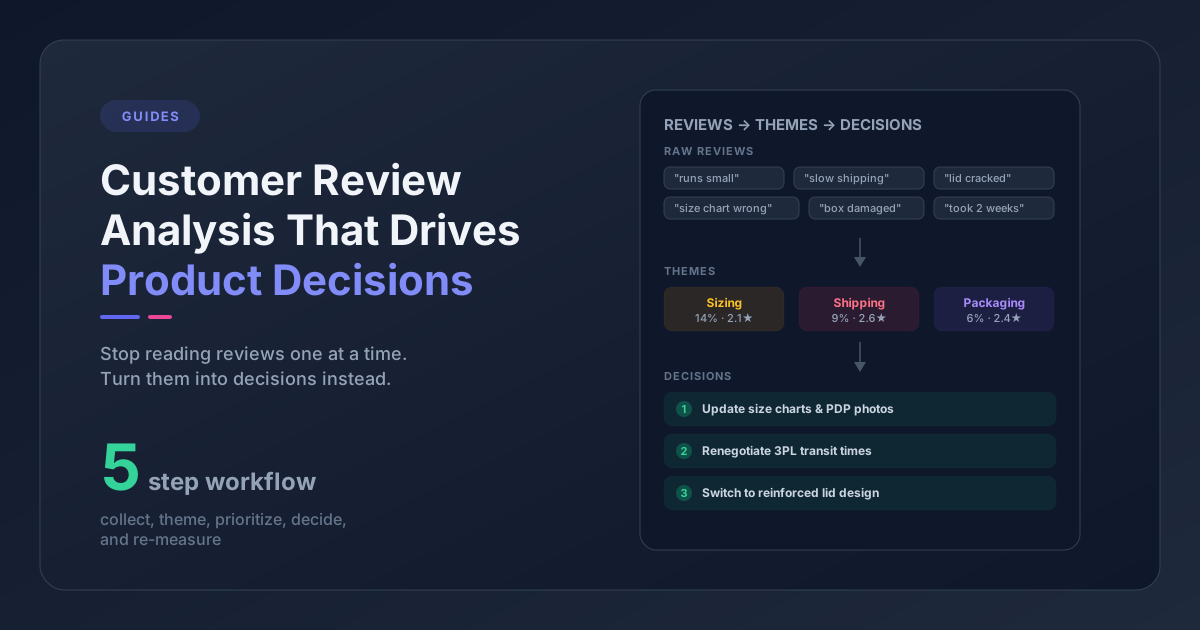
AI ticket tagging is the practice of automatically classifying incoming support tickets into predefined categories -- "sizing," "product quality," "shipping delay" -- the moment they arrive, using machine learning or large language models. For ecommerce brands, the goal isn't just saving agents time. It's turning hundreds of weekly conversations into consistent, queryable support ticket analysis that reveals product issues at scale.
Why Untagged Tickets Are a Product Intelligence Problem
Support teams in ecommerce tend to work ticket by ticket. A customer writes in, someone responds, the conversation closes. Repeat 300 times a week.
Nobody tracks whether the same complaint came in 40 times last month -- not because they don't want to, but because without consistent tagging, there's no way to see the pattern.
The cost shows up in two places. First, your CS team quietly knows there's a recurring fit issue with one of your products. They've answered the same question dozens of times. Your product team doesn't know, so the size chart never gets updated, and the tickets keep coming.
Second, inconsistent manual tagging splits the signal. When three agents use "sizing," "fit issue," and "runs small" for the same type of complaint, you can't sum them. The pattern disappears into three separate buckets, none large enough to flag.
AI classification catches every ticket the same way -- every agent, every shift, every edge case -- so the category counts are honest. That's the real value, not the automation.
How AI Ticket Tagging Works in Ecommerce
AI tagging reads each ticket the moment it lands and drops it into one or more categories you've defined. No agent action required, no waiting until someone has time to clean up the queue. The classifier runs on arrival, before any agent touches the ticket.
Most major helpdesks have automatic ticket tagging built in. Gorgias offers AI auto-tagging configurable with custom categories. Zendesk offers intelligent triage with similar functionality. eDesk has automation rules that fire on ticket arrival. Standalone tools like SentiSum or Pattern Owl can also connect to your ticket data and apply ticket classification automation with analysis layered on top -- useful if your helpdesk's native tagging is limited or you want cross-channel analysis against reviews.
Here's how the main options compare for ecommerce support ticket analysis:
| Tool | Built-in AI Tagging | Custom Taxonomy | Retroactive Classification | Review Data Layer |
|---|---|---|---|---|
| Gorgias | Yes (Automations) | Yes | Limited | No |
| Zendesk | Yes (Intelligent Triage) | Yes | No | No |
| eDesk | Yes (Automation rules) | Yes | No | No |
| SentiSum | Yes (overlay) | Yes | Yes | No |
| Pattern Owl | Yes (overlay) | Yes | Yes | Yes (reviews + tickets) |
Two details matter before you configure anything:
Multi-label classification is the norm. A ticket about a defective item that arrived in damaged packaging gets tagged as both "product_quality" and "shipping_damage." You don't lose one signal to capture the other -- most modern classifiers handle this by default.
AI tagging doesn't route the signal. This is the gap between tagging and insight. Ticket classification automation gives you categorized data. It doesn't tell your product team that "product_quality" tickets are up 40% this week, or flag the specific SKU driving the spike. That requires a second step: the analysis layer.
How Accurate Is AI Ticket Tagging?
Modern LLM-based classifiers typically hit 85-95% accuracy on well-defined ecommerce taxonomies with 5-10 categories. Accuracy drops at the edges: highly specialized vocabularies, non-English tickets, sarcasm, and single-sentence tickets with no context. The practical fix is a QA sampling pass -- review 20-30 tickets per week for the first month after setup to catch systematic misclassifications before they compound. Most stores find 1-2 taxonomy tweaks in that first month, then accuracy stabilizes.
Designing an AI Ticket Tag Taxonomy for Ecommerce
The most common failure in ticket tagging isn't bad AI -- it's a shallow taxonomy. Generic top-level categories like "shipping," "billing," "product," and "returns" give you counts. They don't give you decisions.
A tag called "product" tells you nothing about what to fix. A tag called "product_quality: hardware_failure" tells you which supplier conversation to have.
A 2-tier structure works well for ecommerce: Category > Issue Type.
Here's an example taxonomy for a DTC apparel brand:
| Category | Issue Types |
|---|---|
| sizing | too_small, too_large, inconsistent_sizing, no_size_chart |
| product_quality | fabric_defect, stitching_failure, color_fading, hardware_failure |
| shipping | delivery_delay, damaged_packaging, wrong_item, lost_parcel |
| product_page | missing_information, inaccurate_description, image_mismatch |
| returns | policy_confusion, wrong_reason_selected, label_issue |
Two gut checks for your taxonomy: if a tag doesn't tell you what specifically went wrong or which product category is involved, it's too generic. And if your agents are inventing free-text tags because nothing in the list fits, your taxonomy is too rigid.
For the broader architecture of a feedback taxonomy that works across both tickets and reviews, building a customer feedback taxonomy for ecommerce covers the two-tier approach in more depth.
From Tag Volume to Product Decisions (The Step Most Guides Skip)
Having tagged tickets is not the same as having actionable data. Most teams stop at the tagging layer and call it done. The support ticket analysis layer is where the investment actually pays off.
Tag counting is the first step -- how many "product_quality" tickets did you receive this week? How does that compare to the four-week average? -- but counting isn't analysis. The questions that lead to product decisions are a level deeper:
Which SKUs are generating the most tickets in a given category? A single defective product can inflate your entire "product_quality" tag count while everything else is fine. Raw category counts hide this.
Is a spike in "sizing" tickets correlated with a recent product launch? If a new product dropped two weeks ago and "sizing" tickets climbed the week after, the new product probably needs a better size chart or fit note.
Which tag categories correlate with the worst CSAT scores? Customers who contact support about a damaged product tend to rate the experience very differently than customers asking a simple product question. Tag-level CSAT tells you which issue types are doing the most brand damage, not just which are most frequent.
The Metric That Matters Most: Tags per 100 Orders
The metric that normalizes best across growth is tags per 100 orders for a given product, not raw tag count. A product generating 8 "product_quality" tickets out of 200 orders is a fundamentally different situation than 8 tickets out of 2,000 orders. The ratio makes the comparison honest.
For a structured approach to making the weekly review of this data a sustainable habit, weekly customer feedback review for ecommerce has a practical template.
Cross-Channel Validation: When Reviews Confirm What Tickets Already Said
The same product defect tends to appear in both support tickets and reviews -- but at different times.
Tickets come first. A customer who receives a defective item contacts support within a day or two. They want a replacement or a refund, and they're not in a headspace to write a review yet.
The review arrives 2-4 weeks later, after the replacement shipped (or didn't), after the return was processed, after the frustration either resolved or settled into a rating. By the time a 2-star review mentioning "buttons fell off" goes live, the original ticket may have been closed for three weeks.
If you're only watching your reviews, you're seeing product defects 3-4 weeks after they first showed up in your support queue. If you're only watching your tickets, you're missing the aggregate signal from customers who never contacted support but left a negative review.
The cross-channel check: map your ticket tag categories to your review themes. If "hardware_failure" tickets spike in week 3, look at whether reviews mentioning hardware issues increase in weeks 6-7. When both channels confirm the same signal, you're not looking at an outlier -- you're looking at a product issue with documented volume in two independent datasets.
This overlap is exactly where analyzing reviews and support tickets together has the most leverage for ecommerce brands. One channel is corroboration for the other.
How to Set Up AI Ticket Tagging in Your Ecommerce Helpdesk (5 Steps)
If you're starting from scratch -- or resetting a tagging system that has gotten chaotic -- here's a practical sequence:
Step 1: Audit what you have. Export your last 90 days of tickets and look at your existing tags (or the absence of them). What categories exist? Where is the taxonomy inconsistent? Where are agents creating free-text notes because nothing in the taxonomy fits? This audit takes an hour and tells you exactly what's broken.
Step 2: Define your 2-tier taxonomy. Based on your product category and support volume, draft 5-8 top-level categories and 3-5 issue types under each. Don't try to make it exhaustive on day one -- you can add specificity as patterns emerge. A good starting prompt for your team: "What are the five things customers write in about most often?" Those become your top-level categories.
Step 3: Configure automatic ticket tagging in your helpdesk. In Gorgias, this lives under Automations. In Zendesk, you'll configure it through the AI features section or a trigger workflow. eDesk has automation rules that can fire on ticket arrival. If your helpdesk doesn't have native AI classification, tools like SentiSum or Pattern Owl can connect to your ticket data and apply classification -- including retroactively on historical tickets, which is useful if you have months of untagged data and want to backfill before going forward.
Step 4: Set up a weekly tag volume review. This doesn't need to be elaborate at first. A spreadsheet with weekly tag counts sorted by volume, compared to the prior four-week average, takes 20 minutes to update and immediately surfaces trends that are otherwise invisible. The key discipline is reviewing it on a fixed schedule, not when something feels wrong.
Step 5: Layer in review data every 2-4 weeks. Compare your top ticket tag categories against your review themes. Look for overlap. When the same issue appears in both channels, treat it as a confirmed signal. When it appears in tickets but not reviews, it's either early-stage (reviews will come) or a narrow operational issue that resolved cleanly. That distinction matters for how urgently you escalate.
What to Track Once Your Tag Data Is Clean
Consistent tagging unlocks a set of metrics worth tracking on an ongoing basis.
Tag volume by week -- total and by category. This tells you whether your support load is growing, stable, or shifting in composition. A flat total with a rising "shipping_damage" subcategory is very different from a flat total with all categories flat.
Tags per 100 orders. Normalized for order volume, this is the metric that honestly answers whether a product is generating more support contact than it should. It separates growth in ticket volume from a genuine product-level problem.
Tags by product or SKU. The most actionable view. Which specific products are driving your "product_quality" and "sizing" ticket volume? These are the conversations to have with your suppliers or your content team.
CSAT by tag category. If your helpdesk captures satisfaction scores after ticket resolution, CSAT by tag category tells you which issue types do the most relationship damage -- not just which are most frequent. A low-volume category like "wrong_item_shipped" often produces the worst CSAT scores even at 5% of total tickets.
Tag volume vs. launch dates. Overlay your product launch calendar against your tag volume trends. Spikes that correlate with new product introductions almost always point to something fixable in the product itself, the sizing, or the product page. This overlay catches issues within weeks of a launch instead of months.
Tools like Pattern Owl pull ticket tags alongside review themes into one dashboard, so the cross-channel comparison is already done when you sit down on Monday. For teams handling 200+ tickets a month across multiple products, that's the difference between catching a product defect in week one and catching it in week six.
Common Questions About AI Ticket Tagging
What is AI ticket tagging?
AI ticket tagging is the automatic classification of incoming support tickets into predefined categories using machine learning or large language models. When a ticket arrives, the AI reads the text and assigns it one or more tags -- like "product_quality" or "shipping_delay" -- before any agent opens it. For ecommerce brands, this turns unstructured support conversations into queryable data that reveals patterns across hundreds or thousands of tickets.
How accurate is AI ticket tagging?
LLM-based ticket classifiers typically hit 85-95% accuracy on ecommerce taxonomies with 5-10 well-defined categories. Accuracy is lower for very short tickets, non-English messages, and edge cases that genuinely span multiple categories. A monthly QA sample of 20-30 tickets helps catch systematic errors and refine the taxonomy over time.
Does Gorgias have AI ticket tagging?
Yes. Gorgias has an auto-tagging feature under Automations that classifies tickets on arrival. You can define custom categories and configure the automation to apply them based on the ticket content. For cross-store or cross-channel analysis that includes review data alongside ticket tags, you'd layer a tool like Pattern Owl on top.
Does Zendesk have AI ticket tagging?
Yes. Zendesk's Intelligent Triage feature (available on higher-tier plans) classifies incoming tickets into intent, language, and sentiment categories. You can also build ticket classification automation through Zendesk's trigger and macro system for custom taxonomies.
What ticket tags should ecommerce stores use?
Start with 5-8 top-level categories that map to your product types and support volume: sizing, product quality, shipping, product page (inaccurate info), and returns cover the majority of tickets for most DTC brands. Under each category, add 3-5 specific issue types (e.g., "sizing: too_small, too_large, inconsistent"). Avoid tags that don't tell you what specifically went wrong or which product is involved -- those are counts, not decisions.
Can AI retroactively tag old support tickets?
Some tools support this, some don't. Native helpdesk AI tagging (Gorgias, Zendesk, eDesk) typically only tags tickets going forward, not retroactively. Overlay tools like Pattern Owl can classify historical tickets, which lets you backfill 6-12 months of data before starting your ongoing analysis.
The Real Work Starts After Tagging
Tags are a starting point, not a destination. The teams getting the most out of ticket data aren't the ones with the cleanest taxonomy -- they're the ones who've built a habit of asking what the tags are telling them.
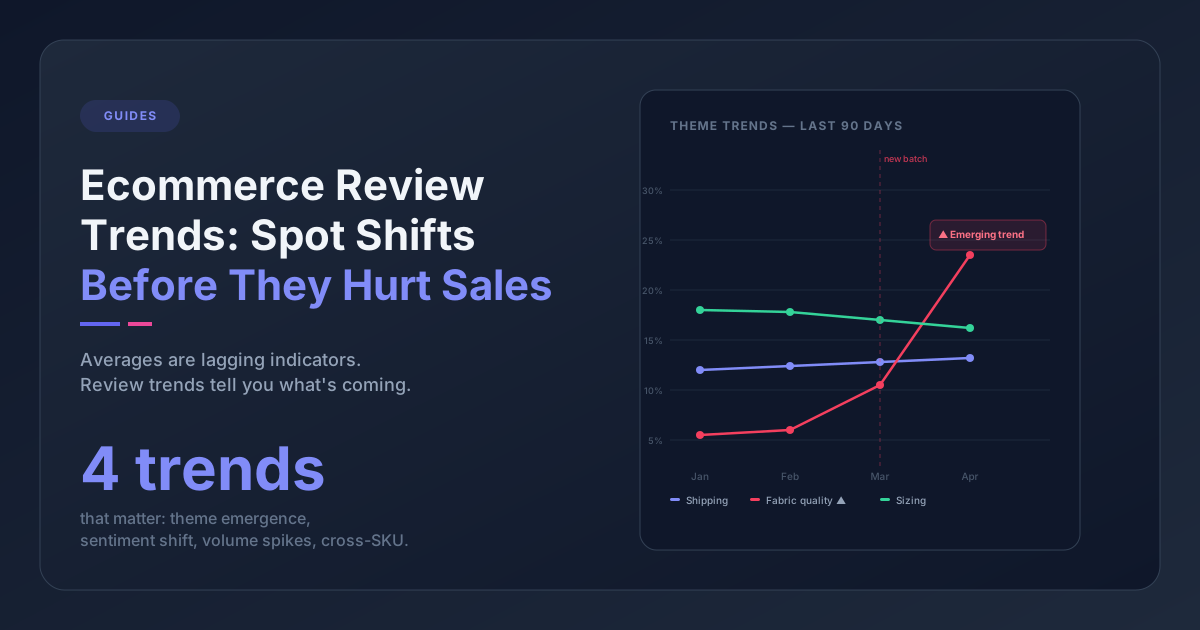
When "hardware_failure" climbs from 4% to 11% of weekly tickets, someone on the product team finds out. When a new product launch correlates with a spike in "sizing" tickets, the size chart gets updated before the reviews catch up. When "wrong_item_shipped" consistently produces the worst CSAT scores despite low volume, the fulfillment workflow gets a fix.
Tagged well, those 300 Monday-morning conversations stop being a workload and start being a fix list -- ranked, counted, and tied to specific SKUs. That's what support ticket analysis for ecommerce is actually for.