Your CX manager mentions at a team meeting that customers have been complaining about a sizing change. The product manager hasn't heard about it. Merchandising just ordered 2,000 more units of the same SKU.
This happens because nobody is looking at customer feedback on a regular cadence. A weekly customer feedback review for ecommerce prevents exactly this kind of disconnect. Reviews trickle in. Support tickets get closed one at a time. Nobody connects "we got 40 sizing complaints this week" to "we're about to restock that product" - unless someone is reviewing the patterns on a schedule.
Here's how to set one up. It's not a long meeting. It's not a new tool. It's 30 minutes where someone pulls up the patterns from last week's reviews and tickets, and the right people see them before decisions get made in a vacuum.
Why a Weekly Customer Feedback Cadence Beats Monthly or Ad Hoc
Monthly is too slow. In ecommerce, a product defect can generate 50 negative reviews in a week. If you wait until the end of the month to notice, you've already shipped hundreds more defective units and taken the SEO hit on your product page from a cluster of one-star reviews.
Ad hoc is too inconsistent. Research on customer success cadences shows that consistent contact - even at lower frequency - outperforms sporadic high-touch by 40% on retention. The same principle applies internally. You check reviews when something feels off, or when a customer emails the CEO, or when someone mentions it in Slack. The problem: you only catch what's already loud enough to break through. The slow-building patterns - the ones that cost you the most over time - stay invisible.
Weekly hits the sweet spot because:
- It's frequent enough to catch trends early. A packaging issue that started Tuesday shows up in Friday's review. You can pull the product or fix the pack-out before the next batch ships.
- It's infrequent enough to show patterns. One bad review is an anecdote. Seven in a week about the same issue is a trend. Weekly aggregation separates signal from noise.
- It creates a rhythm teams can plan around. When people know feedback gets reviewed every Friday, they start paying attention to it during the week. CX agents flag unusual patterns. Product managers check in before meetings.
Who Should Be in the Room
Keep it small. Three to five people, max. Invite more and the meeting becomes a presentation. Keep it tight and it stays a working session.
Required:
- CX lead (or whoever owns customer support) - they see the raw complaints daily and can add context the data alone doesn't show
- Product or merchandising lead - they can act on product quality signals and are usually the ones making purchasing decisions
Rotating or as-needed:
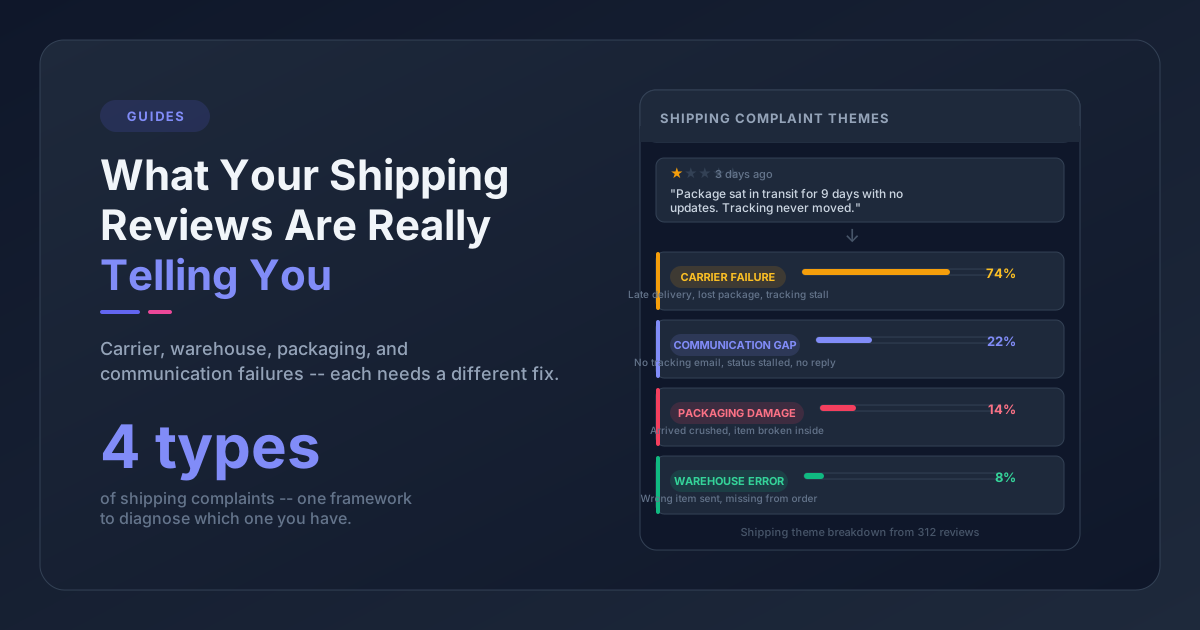
- Operations/fulfillment - bring them in when shipping, packaging, or delivery themes are trending
- Marketing - relevant when feedback touches product pages, pricing perception, or brand expectations
- Founder/GM - useful monthly for the bigger-picture view, but weekly attendance tends to slow things down
Who runs the meeting? The CX lead is the best owner in most ecommerce teams. They're closest to the feedback, and they can pre-filter the noise so the meeting focuses on what matters.
The 30-Minute Agenda
Here's the structure that works. Feel free to adapt, but don't skip the sections - each one serves a different decision.
Minutes 0-5: This Week's Numbers (Context Setting)
Start with a snapshot. Not a deep analysis, just orientation:
- Total reviews received this week vs. last week
- Total support tickets received vs. last week
- Average rating this week (if applicable)
- Any major spikes or drops
This takes 30 seconds if you have a dashboard. The point isn't to discuss numbers yet - it's to give the room a sense of volume and direction.
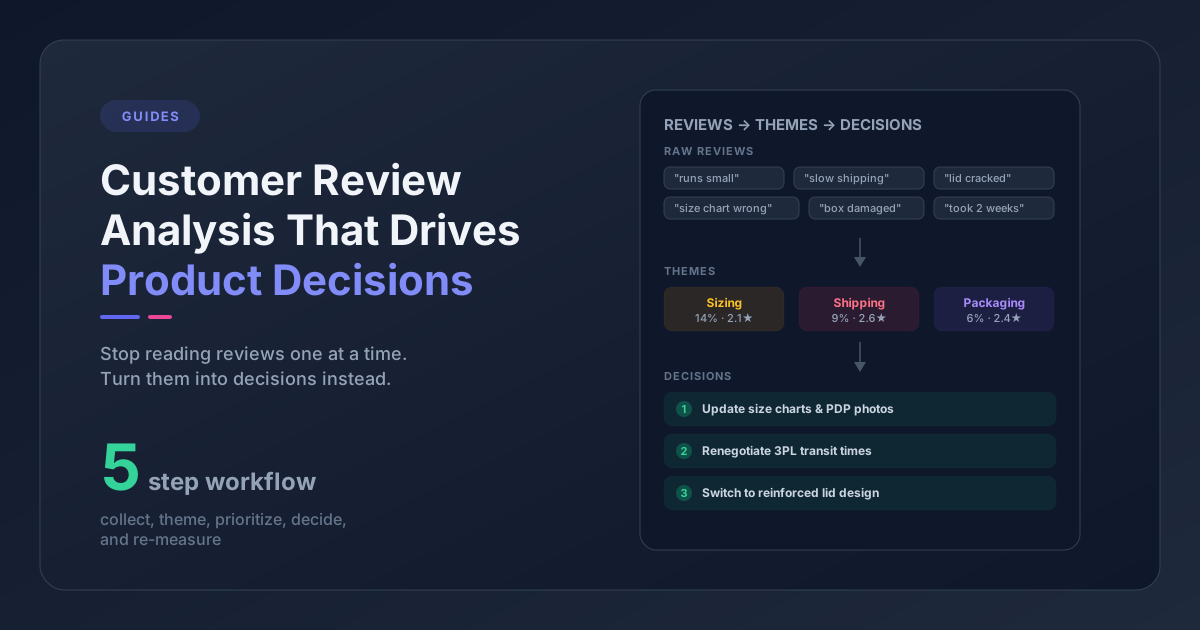
Minutes 5-15: Top Themes (Pattern Recognition)
This is the core of the meeting. Surface the 3-5 most prominent themes from the past week's feedback.
For each theme, cover:
- What customers are saying - read 2-3 verbatim quotes. Raw customer language is more persuasive than a summary.
- Volume - how many mentions this week? Is it up, down, or flat compared to recent weeks?
- Which products are affected - is this concentrated on one SKU, a product line, or store-wide?
What to look for:
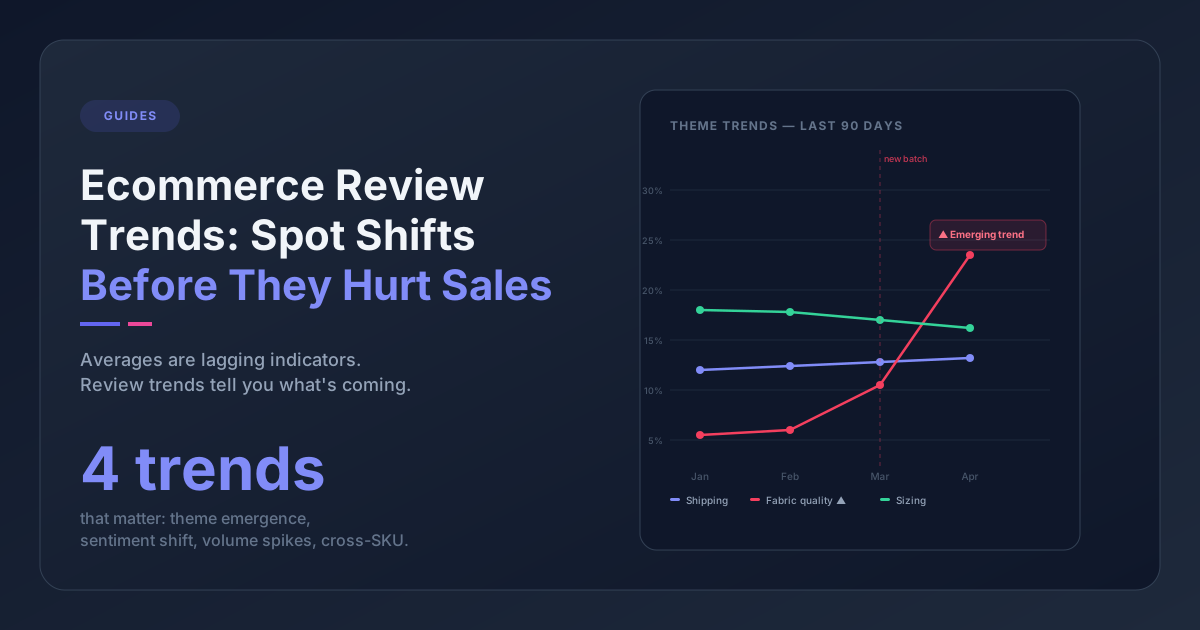
- New themes that weren't present last week - these need the most attention because they could signal a recent change (new supplier, shipping carrier switch, website update)
- Accelerating themes that are growing week over week - even if the absolute number is small, acceleration matters
- Resolved themes that have dropped off since a fix was implemented - celebrating wins keeps the team motivated
If you've already built a feedback taxonomy, this section is straightforward - you're just reviewing the top themes by volume and trend. If you haven't, this meeting will organically produce one over time as you start naming recurring patterns.
Minutes 15-22: Product and SKU Spotlight (Drill Down)
Pick one or two products or SKUs that came up in the themes discussion and go deeper:
- Pull up the actual reviews for that product
- Look at the support tickets
- Check the return rate if you have it
- Ask: is this a known issue? Is it new? What would it take to fix?
This is where the product or merchandising lead earns their seat. They can usually identify whether a complaint is about a recent batch issue, an inherent design limitation, or a mismatch between the product listing and reality.
A real example: one mid-size apparel brand discovered through this drill-down that "fabric feels thin" complaints were concentrated on products from a single supplier who'd switched material without notification. They caught it in week three of the issue instead of month three.
Minutes 22-28: Action Items (Decisions, Not Discussion)
Every theme that got airtime needs a resolution:
| Resolution | When to Use | Example |
|---|---|---|
| Investigate | Need more data or context | "Pull return data for this SKU and report back next week" |
| Act now | Clear root cause, clear fix | "Update the size chart on this product page today" |
| Monitor | Trending but not yet actionable | "Watch this theme next week; flag if it hits 20 mentions" |
| Dismiss | Isolated incident, no pattern | "One-off complaint, no action needed" |
Write down the action item, the owner, and the deadline. If you don't, you'll have the same conversation next week.
Minutes 28-30: Wins and Closes
End with one thing that went well. A positive review that called out great packaging. A ticket where the CX team turned an angry customer into a repeat buyer. A product change from last month's feedback that's showing up in improved ratings.
This takes 60 seconds and matters more than you think. Without it, the weekly review starts to feel like a complaint session, and people stop coming.
What to Prepare Before the Meeting
The meeting owner (usually the CX lead) needs about 15 minutes of prep. Here's the checklist:
- Pull this week's review summary by theme (from your analytics tool or a manual tally)
- Pull this week's support ticket summary by theme
- Note the top 3-5 themes by volume
- Flag any new themes that weren't present last week
- Flag any themes that are accelerating
- Select 2-3 verbatim quotes per top theme
- Identify 1-2 products for the drill-down spotlight
If you're using a tool like Pattern Owl that automatically extracts themes from reviews and tickets, prep drops to about 5 minutes - just pull up the dashboard and note what's moved.
If you're doing this manually, a spreadsheet with columns for date, source, product, and theme works fine up to about 200 feedback items per week. Past that, you'll want automation.
Common Mistakes in the Feedback Review Process
Reading every review out loud
Don't do this. The meeting isn't a review reading session. It's a pattern recognition session. Read 2-3 quotes per theme to illustrate the pattern, then move on.
Inviting too many people
More than five attendees and you get a presentation, not a working session. People stop contributing and start checking email. If leadership wants visibility, send them a written summary after the meeting.
Skipping the action item step
The single most common failure mode. Great discussion, strong agreement that "we should look into this," and then nothing happens. Write it down, assign an owner, give it a deadline. Check last week's items at the start of next week's meeting.
Only looking at negative feedback
Positive themes matter too. If "great packaging" is a recurring positive theme, that tells merchandising what not to change. If "fast shipping" shows up consistently, that validates your fulfillment partner choice. Positive patterns are actionable intelligence, not just nice-to-haves.
Treating it as optional when things are "going well"
The weeks when everything looks fine are the most valuable meetings. That's when you have bandwidth to investigate slow-building trends that get drowned out during crisis weeks. Skip the meeting when it's quiet and you guarantee you'll miss the next issue until it's already loud.
Scaling the Review as You Grow
At different stages, the review looks different:
Under 100 feedback items/week: One person can do this solo. Scan the reviews, scan the tickets, note what's recurring. Share a Slack summary with the team. No meeting needed yet.
100-500 items/week: The 30-minute meeting starts earning its time. Manual theme tracking still works, but you'll want a simple spreadsheet or tool to aggregate.
500-2,000 items/week: You need automated theme extraction. Manual reading at this volume means you're either sampling (and missing things) or spending hours on prep. This is where AI-powered feedback analysis pays for itself.
2,000+ items/week: The weekly review becomes a strategic meeting. You're not reading individual reviews anymore - you're reviewing dashboards, monitoring theme trends over time, and doing root cause analysis on the patterns that move the needle most.
What Good Looks Like After Three Months
Teams that stick with a weekly customer feedback review for 12 weeks typically see three shifts:
1. Faster response to product issues. Problems that used to fester for months get caught in weeks. One home goods brand identified a supplier packaging change that was causing transit damage within two weeks of it starting - before the return rate spiked.
2. Better cross-team alignment. CX stops being the only team that "knows what customers are saying." Product, ops, and merchandising develop their own feedback literacy. Conversations about priorities get grounded in data instead of anecdotes.
3. Proactive instead of reactive decisions. The team starts asking "what are customers telling us about this product line before we reorder?" instead of "why are returns up this quarter?"
Frequently Asked Questions
How long should a weekly customer feedback review meeting take?
Thirty minutes is the sweet spot for most ecommerce teams. This gives enough time to review the top 3-5 themes from the past week's reviews and support tickets, drill into 1-2 specific products, and assign action items - without dragging into a presentation-style meeting that people stop attending.
Who should attend the weekly feedback review?
At minimum, the CX lead and product or merchandising lead. The CX lead owns the meeting because they're closest to the raw feedback. Operations, marketing, and leadership should rotate in when relevant themes (shipping, pricing, brand perception) are trending. Keep it to 3-5 people total.
What tools do I need to run a customer feedback review process?
You can start with nothing more than a spreadsheet and your review/ticket platforms. For teams processing under 200 feedback items per week, manual theme tracking works. Above 500 items per week, AI-powered theme extraction tools pay for themselves by cutting prep time from 15 minutes to under 5.
How is a weekly cadence different from monthly feedback reviews?
Monthly reviews miss fast-moving issues. In ecommerce, a product defect can generate 50 negative reviews in a single week. Weekly reviews catch these trends early enough to pull stock, update listings, or switch suppliers before the damage compounds. Monthly reviews work better for strategic trend analysis, not operational response.
Getting Started This Week
You don't need a perfect process to start. Here's the minimum viable version:
- Block 30 minutes on Friday. Put it on the calendar for CX + product. That's it.
- Before the meeting, scan last week's reviews and tickets. Note the top 3 repeating themes and grab 2-3 quotes each.
- In the meeting, run through the themes. Discuss what's new, what's growing, and what's resolved.
- End with 1-2 action items. Assign owners.
- Next Friday, start by checking last week's items. Then repeat.
You'll refine the process as you go. The agenda above is where teams end up after a few iterations - you don't need to nail it on day one. What matters is starting the cadence and not skipping it.
Remember the sizing complaint that blindsided your product team? That's the kind of disconnect a weekly review eliminates. The data is already flowing into your store. Reviews, tickets, returns - customers are telling you what's broken and what's working. A 30-minute weekly review makes sure someone is listening before 2,000 units get reordered.