Every ecommerce brand collects support tickets. Very few use that ticket data to actually improve their products. A customer writes in about a broken zipper, a missing part, or a package that never arrived. An agent resolves it, tags it, moves on.
But each of those tickets is a customer telling you exactly what's wrong with your product, your operations, or your communication. And you're throwing that data away.
Not literally. The tickets sit in Gorgias, eDesk, Zendesk, Freshdesk, or whatever helpdesk you use. But they sit there as closed conversations, not as product intelligence. Nobody is asking, "What are the 500 tickets we closed last month actually telling us about our products?"
That's the gap this guide closes.
Your Helpdesk Is a Product Feedback Channel
Most ecommerce teams treat their helpdesk as a cost center. Tickets come in, agents resolve them, the goal is to keep response times low and CSAT high. The entire operation is oriented around closing problems, not learning from them.
That framing leaves enormous value on the table.
Think about it: a customer who submits a support ticket is doing something most customers won't bother with. They're spending 5-10 minutes describing a problem in detail, often with photos, order numbers, and specific complaints. They're giving you richer, more specific feedback than any review or survey ever will.
The difference between a reactive support operation and one that improves your products comes down to one question: are you aggregating ticket data into patterns, or are you just resolving them one at a time?
What Support Tickets Tell You That Reviews Don't
If you're already reading your reviews (and you should be), you might wonder why tickets matter. They capture a fundamentally different signal.
Tickets are more urgent. A 3-star review saying "shipping was slow" is mild. A ticket saying "I ordered this for my daughter's birthday and it hasn't shipped in 9 days, I need this resolved NOW" tells you the same thing with emotional intensity that reveals how much this issue actually costs you in customer trust.
Tickets include conversation. Reviews are one-shot. Tickets often involve 3-5 messages where the customer elaborates, provides photos, explains what they expected versus what they got. That back-and-forth context is gold for understanding root causes.
Tickets capture operational problems. Shipping delays, wrong items sent, discount codes not working, checkout errors - these issues rarely surface in reviews because customers contact support instead. If you're only analyzing reviews, you're blind to your operational failure modes.
Tickets arrive faster. A customer contacts support within hours of a problem. Reviews trickle in over days or weeks. For new product launches, tickets are your earliest warning system. If your latest SKU has a defect, you'll see it in tickets before it shows up in reviews.
We covered why combining reviews and support tickets matters in a separate post. The short version: reviews tell you how customers feel about your products. Tickets tell you what's actually breaking.
Support Ticket Analysis: How to Extract Product Signals
Knowing tickets contain product insights is one thing. Actually extracting those insights is another. Here's a step-by-step process that works regardless of your helpdesk platform or ecommerce stack - whether you're on Shopify, BigCommerce, WooCommerce, Magento, or anything else.
Step 1: Export and Normalize Your Ticket Data
Get your tickets out of the helpdesk and into a format you can analyze. Most platforms (Gorgias, eDesk, Zendesk, Freshdesk, Help Scout) let you export ticket data as CSV. If you're using Gorgias, your ticket data is particularly rich because it often includes linked Shopify order and product information, making the product-tagging step significantly easier. You want:
- Ticket subject or title
- Full message thread (at minimum, the customer's first message)
- Product or order referenced (if your helpdesk tracks this)
- Date created
- Tags or categories (if your agents tag tickets)
- Resolution status
If your helpdesk integrates with your ecommerce platform, you may already have product and order data attached to tickets. If not, you'll need to map tickets to products manually or by matching order numbers.
The goal is a flat dataset where each row is a ticket with its associated product and message content.
Step 2: Categorize by Root Cause
Don't use your helpdesk's existing tags for this. Agent-applied tags are usually operational ("refund processed," "replacement sent") rather than diagnostic. You need categories that answer: what went wrong with the product or experience?
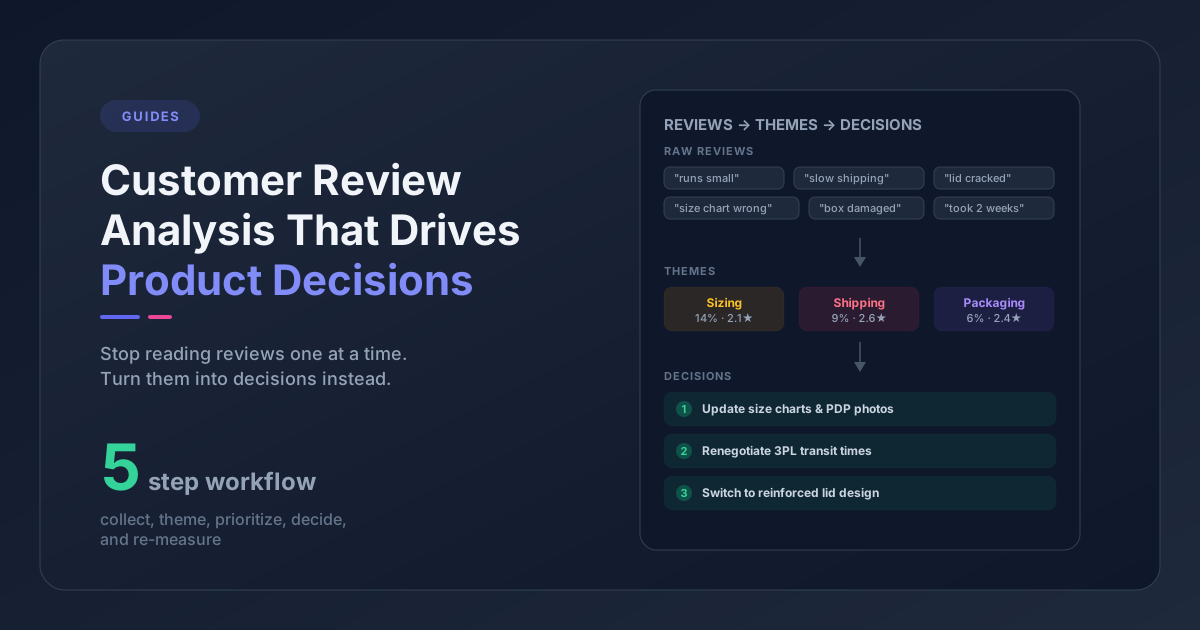
We recommend the same 8-category framework we use for all ecommerce feedback:
- Product Quality - defects, durability, materials
- Sizing & Fit - runs large/small, inconsistent sizing
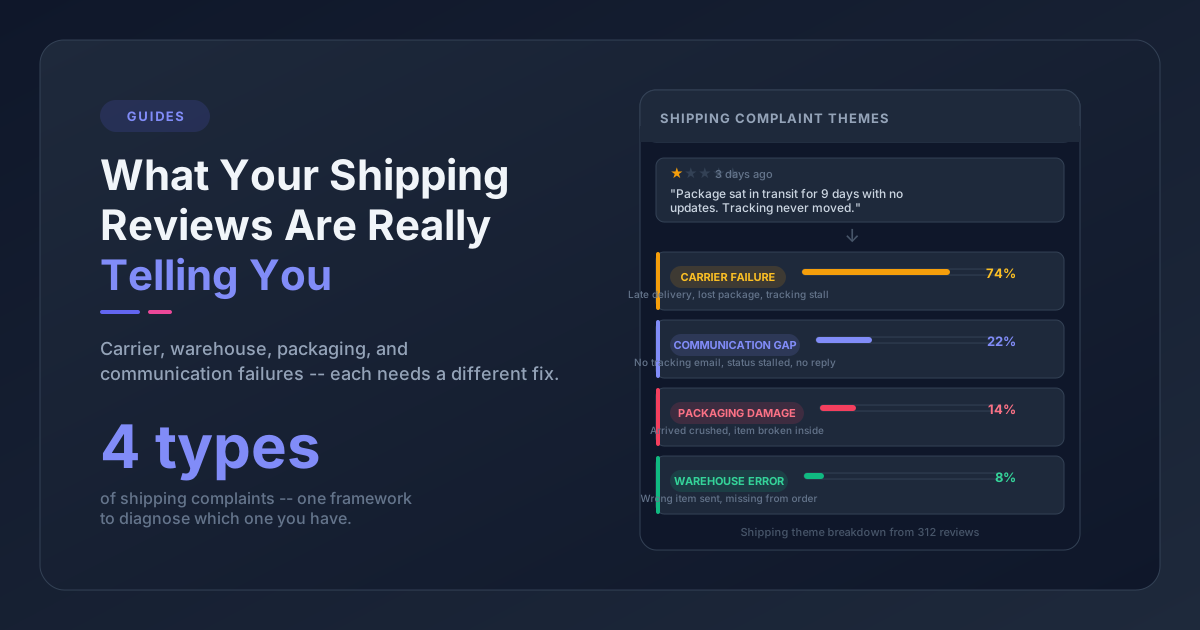
- Shipping & Delivery - delays, lost packages, damage in transit
- Packaging - damaged, wasteful, poor unboxing
- Value & Pricing - price complaints, discount issues
- Product Expectations - doesn't match description/photos
- Customer Service - agent performance, process friction
- Order & Checkout - payment errors, website bugs
At low volumes (under 100 tickets per month), you can categorize manually in a spreadsheet. At higher volumes, AI-powered categorization tools handle this automatically.
Step 3: Tag by Product and SKU
This is the step that turns noise into signal. A global view of "we had 200 shipping tickets last month" is marginally useful. "We had 45 shipping tickets for the Apex Jacket, and 38 of them mention damage in transit" tells you your packaging for that specific product is failing.
For every ticket, attach:
- The specific product or SKU
- The product category (if you sell across categories)
- The order date (so you can correlate with fulfillment batches or supplier changes)
Step 4: Identify Patterns
With categorized, product-tagged ticket data, patterns become visible:
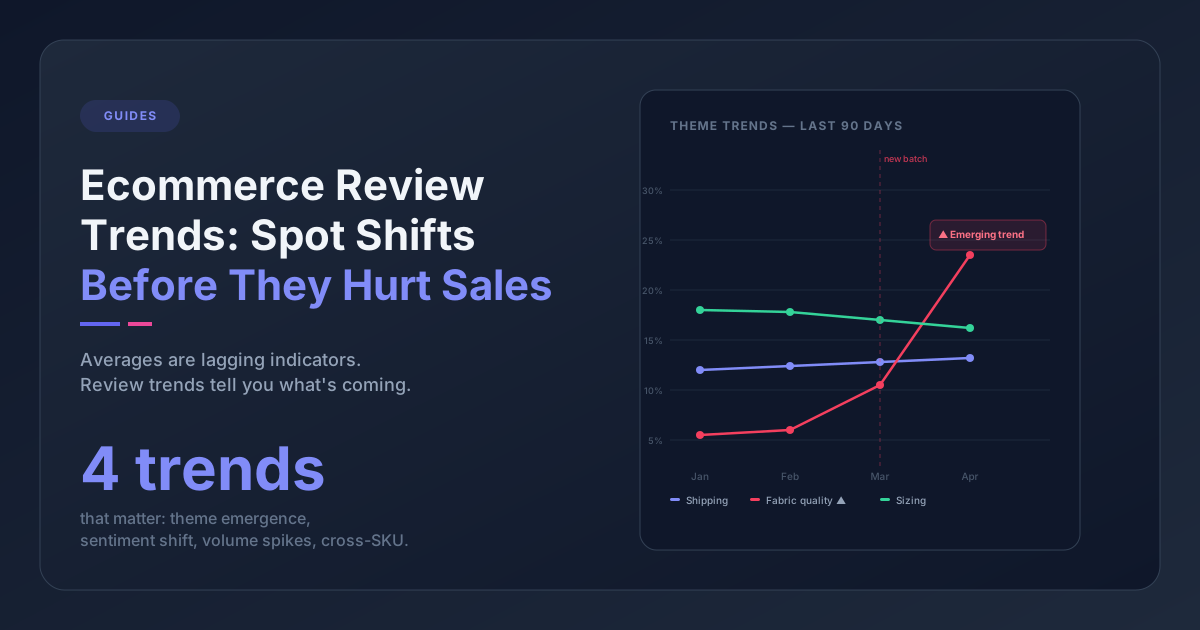
- Volume spikes: Did "Product Quality" tickets for a specific SKU jump 3x this month? Something changed - new supplier, new batch, new materials.
- Recurring issues: If 30% of tickets for a product mention sizing, your size guide needs work. Not "maybe." Definitely.
- Seasonal trends: Do shipping tickets spike during holiday season (expected) or year-round (your 3PL has a systemic problem)?
- Category distribution shifts: If "Product Expectations" is growing as a share of tickets, your marketing team is creating a gap between what customers expect and what they receive.
The same pattern-finding techniques that work for reviews apply here once your tickets are categorized and tagged.
Three Patterns That Should Trigger Product Changes
Not every pattern requires action. Some ticket volume is normal - people have questions, things occasionally go wrong. But learning to turn customer complaints into product changes means knowing which three specific patterns should set off alarms.
Pattern 1: Same Issue Across Multiple Products
If "Product Quality" tickets mention similar defects across different SKUs - thread coming loose, stitching failing, material pilling - you likely have a manufacturing or supplier problem, not a product-specific one. This is the kind of systemic issue that gets worse over time if you only fix it product by product.
Action: Audit your supplier's quality control process. Compare defect rates across products from the same supplier versus different suppliers.
Pattern 2: Ticket Spike After a New Launch
Every product launch generates some support tickets. But if ticket volume for a new SKU is 2-3x higher than your baseline within the first two weeks, something is wrong - and you're catching it before the negative reviews pile up.
Common causes: manufacturing defect in the first batch, product description that doesn't match reality, missing assembly instructions, or sizing that's inconsistent with your existing line.
Action: Pull the specific ticket messages for the new SKU. Categorize them. If 60% are about the same issue, you have your answer. Fix it before the review damage compounds.
Pattern 3: Tickets That Better Product Info Would Prevent
This is the most underrated pattern. A significant chunk of support tickets - often 20-30% - exist because the customer didn't have enough information before purchasing.
- "What size should I get?" (your size guide is unclear or buried)
- "Is this compatible with X?" (missing compatibility info on the product page)
- "How do I assemble this?" (no instructions or video included)
- "This looks different from the photos" (photography doesn't represent the product accurately)
These tickets aren't product defects. They're communication defects. And they're the cheapest problems to fix: update a product description, add a size chart, shoot a better photo, include an instruction card.
Action: Count the tickets that could have been prevented by better product page content. Calculate the support cost of those tickets (agent time x ticket volume). That's your ROI case for updating product listings.
Closing the Loop: From Ticket Insight to Product Action
Extracting patterns is useless if they sit in a spreadsheet nobody looks at. The brands that actually improve their products from ticket data do three things:
Share findings weekly, not quarterly. A monthly or quarterly "voice of customer" report is too slow. By the time it reaches the product team, the damage is done. Set up a weekly 15-minute review where someone presents: here are the top 3 ticket themes this week, here's what changed from last week, here's what needs attention.
Track whether changes reduce ticket volume. After you update a size guide, did sizing tickets for that product drop? After you switched packaging materials, did damage-in-transit tickets decrease? This closes the feedback loop and proves the process works - which is how you get buy-in to keep doing it.
Combine ticket themes with review themes. Tickets and reviews tell different parts of the same story. When you see "Product Quality" trending in both channels for the same product, you know it's a real problem, not an anomaly. Pattern Owl - an ecommerce feedback analytics platform that imports from review apps and helpdesks - does this automatically, so you get one unified view instead of switching between your helpdesk analytics and your review dashboard.
Frequently Asked Questions
How many support tickets do I need before patterns are meaningful?
You can start spotting patterns with as few as 50 tickets per month, especially if you tag by product. Below that, individual tickets are more useful than aggregate analysis. Above 200 per month, patterns become statistically reliable enough to base product decisions on.
Should I analyze all tickets or just complaints?
All of them. Pre-purchase questions ("What size should I get?") reveal information gaps on your product pages. Positive tickets ("Just wanted to say the packaging was amazing") confirm what's working. Even routine "where's my order" tickets reveal fulfillment bottlenecks when they spike.
How do I get my support team to tag tickets accurately for this analysis?
Keep it simple. Don't ask agents to apply 20 tags mid-conversation. Either use a small set of required categories (5-8 max) that agents select at ticket close, or skip manual tagging entirely and use AI categorization after the fact. The second approach is more reliable because it doesn't depend on agent consistency during a busy shift.
Your helpdesk already contains the data you need to make better products. The tickets are there. The patterns are there. The only missing piece is someone looking at the data as product intelligence instead of problems to close.
Start this week: export your last 30 days of tickets, sort them by product, and categorize the top 50 by root cause. You'll find at least one pattern worth acting on. Probably three.