Root cause analysis for ecommerce customer complaints starts with a simple observation: the complaint is almost never the real problem. A customer leaves a one-star review: "The color is nothing like the photo." Your CX team apologizes, offers a return, moves on to the next ticket.
Three weeks later, you've gotten 30 more of the same complaint. You pull the product photos and compare them to the actual item. The photos are fine - they were shot by a professional photographer with proper lighting. The problem is the fabric dye lot shifted, and nobody told the content team.
That gap between what the customer says ("the color is wrong") and what actually went wrong ("the supplier changed the dye formula between batches") is exactly what root cause analysis for ecommerce complaints is designed to close.
Most ecommerce teams stop at the symptom. They fix the individual complaint - process the return, update the listing, issue a credit. Root cause analysis asks the harder question: why did this complaint happen in the first place, and what needs to change so it stops happening?
What Root Cause Analysis Looks Like in Ecommerce
Root cause analysis (RCA) is a structured method for tracing a problem from its visible symptom back to its upstream origin. It's been used in manufacturing and engineering for decades. In ecommerce, the same logic applies - but the "defect reports" are your reviews and support tickets.
The key idea is simple: the complaint is the symptom, not the cause. A customer saying "this runs small" is telling you what they experienced. The root cause might be:
- The manufacturer changed the fabric to a less stretchy material
- The size chart on the product page is based on a previous season's cut
- The product photos show the item on a model whose proportions don't match your typical buyer
Each of those requires a completely different fix. Offering a return solves zero of them.
The Three Layers of an Ecommerce Complaint
Most complaints in ecommerce trace back through three layers:
| Layer | What It Sounds Like | What's Actually Happening |
|---|---|---|
| Surface (the complaint) | "This is cheaply made" | The customer's experience didn't match expectations |
| Proximate cause | The stitching came undone after two washes | A specific quality control issue in this batch |
| Root cause | The factory switched thread suppliers to cut costs | A supply chain change that wasn't caught during QC |
Surface-level fixes (offer a refund) cost you money on every occurrence. Proximate fixes (reject this batch) prevent the next round of complaints. Root cause fixes (require supplier material change approvals) prevent the problem from recurring in any form.
The further upstream you fix, the more leverage you get.
The Five Whys Method (Applied to Ecommerce)
The simplest RCA technique is the Five Whys - just keep asking "why?" until you hit the root cause. It sounds almost too simple, but it works because it forces you past the first answer.
Example: "Customers are complaining about slow shipping"
- Why? Orders are taking 7-10 days to deliver instead of the promised 3-5.
- Why? Orders are sitting in the warehouse for 2-3 days before they ship.
- Why? The warehouse team is processing returns and new orders on the same line, and returns are backing things up.
- Why? Return volume spiked 40% this month after a product quality issue.
- Why? A batch of products from a new supplier had a defect rate 3x higher than the previous supplier.
The customer sees "slow shipping." The root cause is a supplier quality problem. If you only fix the shipping speed (hire more warehouse staff), you're treating the symptom while the defective products keep generating returns that clog the line.
Example: "Customers say our products look different in person"
- Why? The product color/texture doesn't match the photos on the listing.
- Why? The photos were shot with the original production samples.
- Why? Production samples and bulk production use different finishing processes.
- Why? The factory applies a different coating on bulk runs for cost efficiency.
- Why? There's no process to compare bulk production against the approved samples.
The fix isn't re-shooting every photo. It's implementing a production sample comparison step in your QC workflow.
When Five Whys Isn't Enough
The Five Whys works well when there's a single causal chain. It breaks down when multiple causes contribute to the same complaint. "Customers are unhappy with our product" could have five different root causes happening simultaneously.
For complex problems, you need a different tool.
The Fishbone Diagram for Ecommerce
A fishbone diagram (also called an Ishikawa diagram) maps all possible causes of a problem across predefined categories. For ecommerce, these categories work well:
- Product - design, materials, quality control, manufacturing
- Listing - photos, descriptions, size charts, pricing
- Fulfillment - picking, packing, shipping carrier, delivery speed
- Service - response time, resolution quality, communication
- Process - returns, exchanges, refunds, policies
Here's how it works in practice. Say you're investigating "high return rate on our new shoe line."
You lay out each category and brainstorm potential causes:
Product causes: Sole too stiff, runs narrow, material feels cheap, color fades fast
Listing causes: Size chart doesn't specify width, photos shot on a narrow foot model, description says "all-day comfort" but sole is rigid, no customer review photos yet
Fulfillment causes: Left and right shoe arriving in different conditions (packing issue), no shoe horn or care instructions included
Service causes: Return window too short for customers to properly test fit, no exchange option (refund only)
Process causes: No pre-launch wear testing, no size comparison to competitor equivalent
Each of these is a testable hypothesis. Pull the data - check return reasons, read the reviews for specific complaints, look at which sizes get returned most. The data will tell you which branches of the fishbone are actually contributing.
How to Trace Product Issues From Customer Feedback
Here's where ecommerce has an advantage over most industries: your customers are already writing detailed problem reports. They just call them "reviews" and "support tickets."
What reviews tell you (and don't)
Reviews are great for pattern detection. When 50 people say "runs small," that's a reliable signal. Reviews are less great for diagnosis because most reviewers don't know (or care) why the product runs small. They describe the symptom, not the mechanism.
What to extract from reviews for RCA:
- Recurring complaint themes (what keeps coming up?)
- Product-specific concentration (is this one SKU or a product line?)
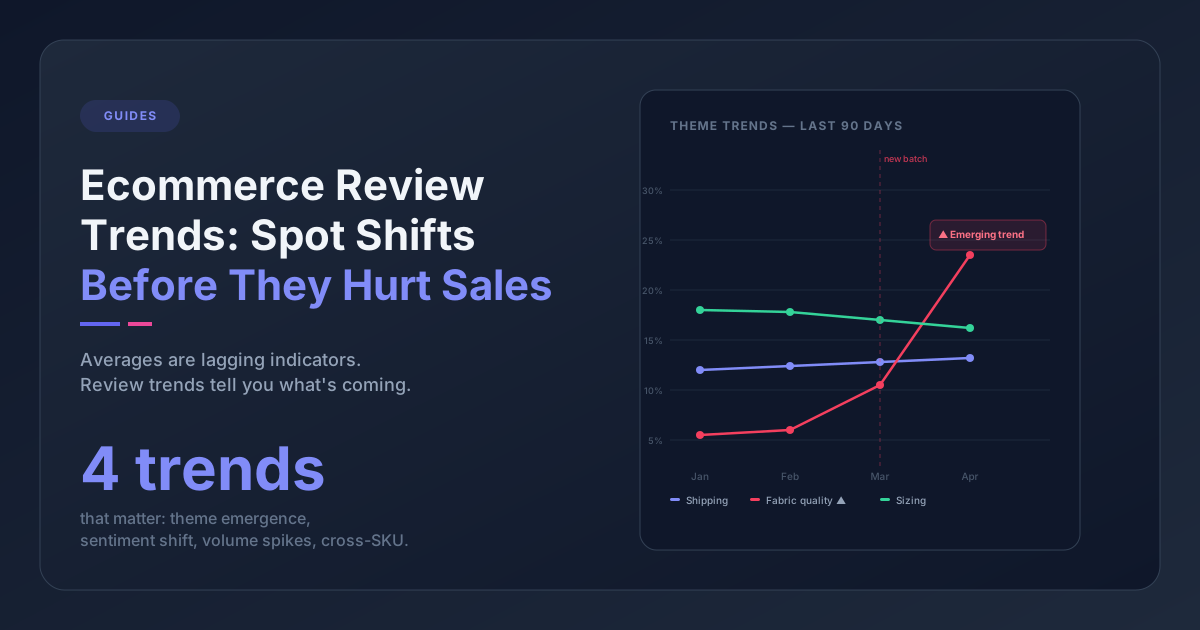
- Timing patterns (did this start recently? Coincide with a batch change?)
- Severity language (are people mildly annoyed or genuinely angry?)
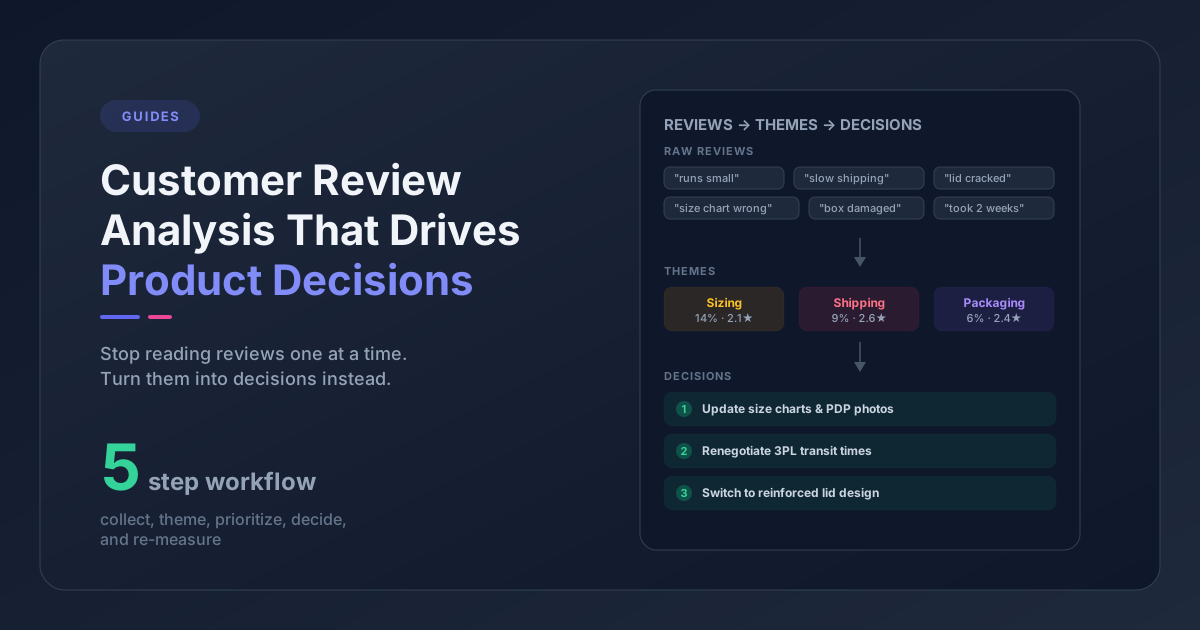
If you've already built a feedback taxonomy, theme frequency and trend data makes this step straightforward. You're looking for themes that are new, accelerating, or concentrated on specific products.
What support tickets tell you
Support tickets are richer than reviews for RCA because the conversation reveals more context. A customer doesn't just say "this is wrong" - they describe the problem, send photos, answer agent questions.
What to extract from tickets for RCA:
- Specific failure modes (what exactly broke, where, how?)
- Timeline details (how long until the issue appeared?)
- Environmental context (how was the product used, stored, washed?)
- Customer expectations (what did they think they were getting?)
The richest RCA data comes from combining reviews and tickets on the same product. Reviews give you the pattern. Tickets give you the mechanism.
Connecting feedback to upstream causes
The real power of RCA is connecting what customers say to what happened in your supply chain, operations, or content pipeline. Here's a framework:
| Complaint Pattern | Likely Upstream Cause | Where to Investigate |
|---|---|---|
| "Runs small/large" | Sizing spec change, fabric composition change | Supplier change logs, material specs |
| "Looks different than photos" | Dye lot variation, post-production finishing | Sample vs. bulk comparison, photo pipeline |
| "Broke after X weeks" | Material downgrade, QC threshold change | Supplier QC reports, defect rate data |
| "Arrived damaged" | Packaging spec reduction, carrier handling | Pack-out specs, carrier claims data |
| "Not as described" | Listing copy drift from actual product | Content team review cadence, update triggers |
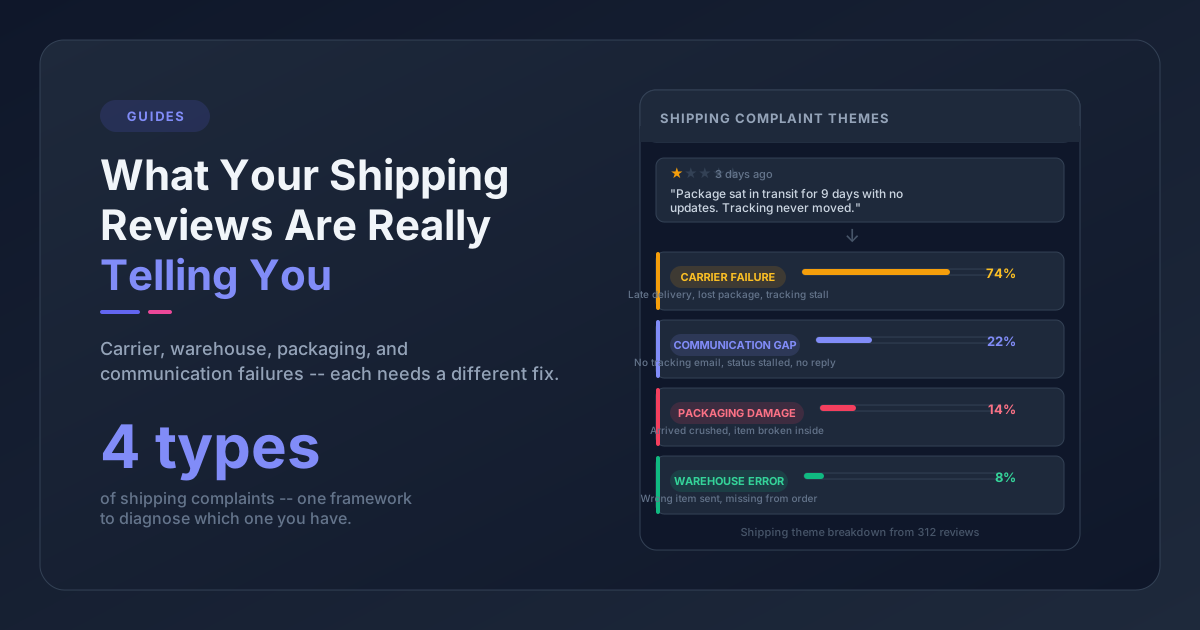
| "Slow shipping" | Warehouse bottleneck, carrier service change | Fulfillment SLAs, carrier performance |
Running an RCA Session
When a complaint pattern shows up in your weekly feedback review, and it's significant enough to warrant investigation, here's how to run an RCA session:
Step 1: Define the Problem Statement
Be specific. Not "customers are unhappy" but "32 reviews and 15 support tickets in the last two weeks mention the Winter Parka zipper breaking, concentrated on size L and XL, starting after the January restock."
A good problem statement includes:
- What the complaint is (in customer language)
- How many occurrences
- Which products are affected
- When it started
- Any known changes in that timeframe
Step 2: Gather the Evidence
Pull everything relevant before the session:
- All reviews mentioning the issue (verbatim quotes, not summaries)
- Support ticket details (especially photos and agent notes)
- Return data for the affected products
- Any recent changes: new supplier, new batch, packaging change, listing update
- Historical data: was this theme present before? At what volume?
Step 3: Walk the Causal Chain
Use Five Whys for straightforward issues or a fishbone for complex ones. The goal is to get past the first two "whys" - that's where teams usually stop.
Common trap: The team agrees on the root cause too quickly. "Obviously it's the new supplier." Maybe. But test it: does the complaint data align? Are other products from the same supplier affected? Did the timing match the supplier switch? Don't lock in a root cause until the evidence supports it.
Step 4: Categorize the Fix
Not all root causes require the same type of fix:
| Fix Type | When to Use | Example | Timeline |
|---|---|---|---|
| Immediate containment | Stop the bleeding now | Pull the defective SKU from the store | Same day |
| Short-term correction | Fix this specific instance | Reject the current batch, re-order from the previous supplier | 1-2 weeks |
| Systemic prevention | Ensure this class of problem can't recur | Implement supplier change notification protocol with mandatory QC check | 1-3 months |
Most teams only do the first two. The third is where the real value of RCA lives - but it requires changes to process, not just product.
Step 5: Track the Outcome
After implementing the fix, watch the complaint theme in your feedback data. If the root cause was correctly identified and the fix was effective, you should see the theme volume decline within 2-4 weeks (depending on your sales velocity and review submission lag).
If the theme doesn't decline, you fixed a symptom, not the cause. Go back to step 3.
Common Root Cause Patterns in Ecommerce
After doing RCA across dozens of complaint categories, certain patterns emerge repeatedly:
The Supplier Switch
A supplier change (or sub-supplier change) is behind a huge percentage of product quality complaints. It's often invisible to the ecommerce team because the supplier didn't disclose it. The most common tells: material feel changes, color consistency drops, defect rate spikes, or sizing shifts - all starting around the same time.
Prevention: Require material change notifications in supplier contracts. Compare every bulk production run against approved samples.
The Listing Drift
Product listings get created when a product launches and rarely get updated. Over time, the product evolves (subtle material changes, updated packaging) but the listing still describes version 1.0. Customers buy based on the listing and receive something slightly different.
Prevention: Quarterly listing accuracy audits. Flag any product with a "not as described" theme above a threshold. Your feedback taxonomy makes this easy to track.
The Scaling Breakpoint
Processes that worked at 100 orders per day break at 500. The manual QC check that caught defects when you shipped 50 packages is now getting skipped because the team can't keep up. Fulfillment errors increase. Packaging quality drops. The customer experience degrades incrementally.
Prevention: Document your QC and fulfillment processes. Identify which steps are manual and what their capacity limits are. Set alerts before you hit them.
The Communication Gap
The product team knows about a material change. The CX team doesn't. When customers complain, the CX team gives inaccurate responses ("that shouldn't be happening") because they're not aware of the change. This makes customers feel gaslit and escalates complaints.
Prevention: Any product change, supplier change, or process change should be shared with CX before it reaches customers. A shared Slack channel or a section in your weekly review meeting works.
When to Do RCA (and When Not To)
Not every complaint warrants a root cause analysis. RCA takes time and attention, so use it selectively.
Do RCA when:
- A complaint theme has 10+ mentions in a week and is growing
- A new theme appears suddenly (something changed)
- A known fix didn't reduce the complaint volume
- Return rates on a product spike without an obvious cause
- Multiple complaints point to different symptoms of what might be the same underlying issue
Don't do RCA when:
- It's a one-off complaint with no pattern
- The cause is already obvious and the fix is straightforward
- The product is being discontinued anyway
- The complaint is about a subjective preference ("I don't like the color") with no quality or accuracy issue
Frequently Asked Questions
What is root cause analysis in ecommerce?
Root cause analysis (RCA) is a structured method for tracing customer complaints back to their upstream origin - the supplier change, process failure, or content gap that caused the problem. Instead of fixing individual complaints reactively, RCA identifies the systemic issue so it stops recurring across future orders.
Why do customers complain in ecommerce?
Most ecommerce complaints fall into four categories: product quality issues (material, sizing, defects), listing accuracy gaps (photos or descriptions that don't match the product), fulfillment failures (shipping speed, packaging damage), and service breakdowns (slow response, unclear return policies). The surface complaint is usually a symptom of one of these upstream causes.
How do you trace product issues from customer feedback?
Start by identifying a complaint theme in your reviews or support tickets (e.g., "runs small" appearing 30+ times). Then use the Five Whys method - ask "why?" repeatedly until you reach an upstream cause you can change, like a supplier material switch or an outdated size chart. Reviews show you the pattern; support tickets show you the mechanism.
When should you do root cause analysis on customer complaints?
Run RCA when a complaint theme has 10+ mentions in a week and is growing, when a new theme appears suddenly, when a previous fix didn't reduce complaint volume, or when return rates spike without an obvious cause. Don't run RCA on one-off complaints, subjective preferences, or products being discontinued.
Getting Started
You don't need a formal RCA framework to start. Next time a complaint pattern appears in your reviews or tickets, try this:
- Write down the complaint in customer language
- Ask "why?" three times
- Check if the third answer points to something you can change upstream
- If it does, change it and watch whether the complaints decline
That's it. You've done root cause analysis.
The structured methods - Five Whys, fishbone diagrams, formal sessions - become valuable as your operation scales and the problems get more complex. But the core habit is simple: don't stop at the complaint. Trace it back to the cause.
Remember the "color doesn't match" complaint from the start of this post? With a system that detects complaint themes automatically, you'd have seen "color mismatch" trending after week one - not week three. Pattern Owl handles the pattern detection. The RCA itself is a thinking exercise - the tool shows you what's happening, you figure out why.