Your average star rating is 4.4. It was 4.4 three months ago. Everything looks fine.
Except six weeks ago, a new batch of your best-selling jacket started coming in from a different manufacturer. And if you'd been watching your review themes rather than your average score, you'd have noticed: mentions of "fabric quality" and "feels cheap" tripled the week that batch hit customers. The complaints are there. They're just buried under the weight of older, positive reviews - and your average won't register the shift for another month.
This is the core problem with how most ecommerce brands track customer feedback. Averages are lagging indicators. Ecommerce review trends are leading ones. By the time a quality issue shows up in your star rating, you're already deep in it.
Why Ecommerce Review Trends Matter More Than Star Averages
A 4.2 average is a snapshot. It tells you nothing about whether you're improving or declining, which specific complaints are accelerating, or whether last quarter's design change made things better or worse.
Review trends - how the volume, sentiment, and topics of your reviews shift over time - tell you what's changing in your customers' experience, often weeks before it shows up anywhere else.
Three things make review trends particularly valuable for ecommerce operators:
They catch product problems before they spike returns. A defect in a new production run shows up in reviews before it registers in return data. You have a window to respond - pull inventory, update QC, reach out to affected customers - before the return spike. (How to detect product issues from customer reviews covers the early-warning signals in detail.)
They reveal whether your changes worked. Made a packaging change? Launched a new size guide? Updated your care instructions? Review trends tell you if customers noticed and whether it helped. No survey needed.
They surface emerging themes before they dominate. A new complaint category that accounts for 3% of reviews today might account for 25% in two months. Catching it at 3% is much cheaper than managing it at 25%.
Review trends shift for predictable reasons: production batch changes, supplier swaps, fulfillment partner changes, packaging updates, marketing campaigns that change your buyer demographics, seasonal demand shifts, return policy changes, and competitor moves that reset customer expectations. The pattern of which trend type is moving - theme emergence vs. sentiment shift vs. volume spike - often points to which root cause is in play.
The Four Types of Review Sentiment Trends to Watch
Review shifts come in four shapes. Each one means something different, and each one needs a different response.
Quick reference for what counts as a meaningful trend:
- Theme emergence threshold: any theme growing from under 5% to over 10% of mentions within 30-60 days
- Month-over-month flag: any theme changing by 20% or more vs. the prior month
- Manual-tracking ceiling: roughly 500 reviews/month - above this, manual tagging becomes unsustainable
- Resolution checkpoint: re-check trend data 30-60 days after making a change
1. Theme Emergence: New Complaint Categories
A topic that rarely appeared in reviews suddenly starts showing up with higher frequency. Classic examples: packaging damage after you switched fulfillment partners, sizing issues after adding a new product line, or shipping complaints after a carrier change.
What you're watching for: any theme that grows from under 5% of mentions to over 10% within 30-60 days. Below 5% is noise. Above 10% means customers are actively talking about it - which means it's probably affecting purchase decisions too.
2. Sentiment Shift Within an Existing Review Theme
The theme itself isn't new - "shipping speed" has always been in your reviews. But the sentiment is changing. Six months ago, 80% of shipping mentions were neutral or positive ("came quickly," "arrived on time"). Now 60% are negative ("took forever," "still waiting after two weeks"). The theme didn't emerge; it soured.
This pattern is subtler than theme emergence and easy to miss if you're only counting mentions. You need to track the ratio of positive to negative within each theme. (Our guide to ecommerce sentiment analysis covers the scoring methods in detail.)
3. Review Volume Spikes (Positive or Negative)
A sudden increase in review volume - positive or negative - is worth investigating. A positive spike might mean a product went viral or a marketing campaign is driving purchases. A negative spike often means something broke: a bad batch, a customer service failure, or a policy change that backfired.
Volume spikes without accompanying theme analysis are noisy. The question is always: what is the new volume talking about?
4. Cross-Product Theme Correlation: Operational Signals
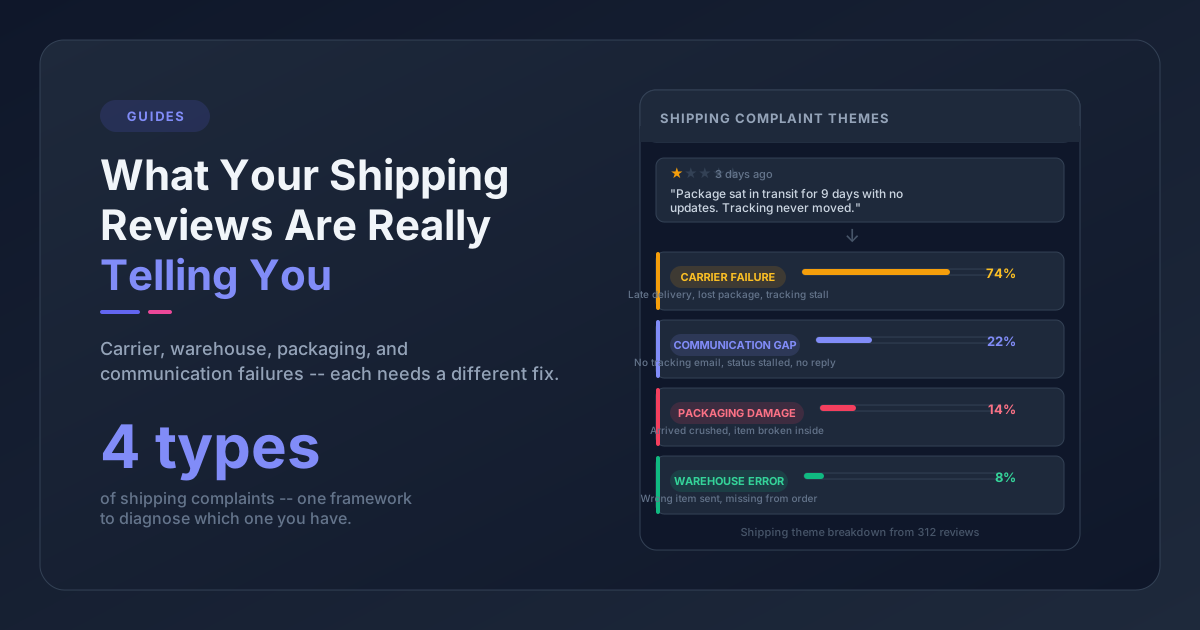
A theme you see emerging in one product's reviews starts appearing in another's. This usually means the root cause is operational, not product-specific. If "arrived damaged" starts climbing in multiple SKUs at once, the issue is packaging or handling, not any individual product. If "wrong item received" appears across categories, it's a fulfillment problem.
Spotting cross-product patterns requires you to look at your review data at the catalog level, not just per-SKU. (For the inverse - drilling into a single variant - see SKU-level review analysis.)
How to Track Customer Review Changes Manually
If you have fewer than 200 reviews coming in per month, you can build a basic trend-tracking practice with a spreadsheet. Here's what that looks like:
Step 1: Tag every review with 2-3 themes. Choose your theme categories in advance and apply them consistently. Examples: Sizing, Quality, Packaging, Shipping, Value, Product Accuracy, Customer Service. Don't let the list grow unbounded - pick 8-12 categories that map to your actual operations and stick with them.
Step 2: Record counts by theme, by month. At the end of each month, count how many reviews mentioned each theme. Track this in a simple table: months as columns, themes as rows.
Step 3: Flag percentage changes over 20%. If any theme increases by 20% or more month-over-month, treat it as a signal worth investigating. That doesn't mean it's a crisis - but it means you should look at the specific reviews driving the increase.
Step 4: Note sentiment alongside counts. For each theme count, note whether the majority of mentions are positive, neutral, or negative. A theme that grows but stays mostly positive (e.g., more people mentioning your packaging because they love it) is different from a theme that grows with mostly negative sentiment.
The honest limit: this works under about 500 reviews/month. Past that, manual tagging eats a person. But do it manually for a month or two first anyway - it forces you to figure out which themes actually matter for your business, and that list becomes the foundation when you automate.
Using AI for Review Theme Monitoring at Scale
Once you're past 500 reviews a month, AI does two things manual tagging can't:
It eliminates manual tagging. Instead of a team member reading and tagging every review, the AI reads your review corpus, extracts recurring themes, and classifies each piece of feedback automatically. At 5,000 reviews per month, that's the difference between a full-time job and a dashboard you check weekly.
It finds themes you didn't know existed. Manual tagging only catches what you've decided to count. AI reads what customers actually wrote and surfaces patterns you'd miss - the new complaint that hasn't shown up enough times yet to land on your radar. (Finding patterns in customer reviews walks through both approaches.)
The combination matters for trend detection: you can't spot the emergence of a new theme if you were never watching for it.
When evaluating AI review analysis tools for trend monitoring, check for three things:
- Date-range comparison - can you compare this month's themes against last month's or last quarter's? Without a baseline, you have a snapshot, not a trend.
- Multi-source analysis - your support tickets are often the first place new problems appear, before customers write reviews. A tool that analyzes reviews and tickets together gives you an earlier warning.
- Product-level and catalog-level views - you need to see trends per SKU and across your whole catalog to distinguish product-specific problems from operational ones.
Pattern Owl is a customer feedback intelligence tool that imports your reviews and support tickets from any platform, automatically extracts themes using AI, and tracks how theme frequency and sentiment shift over time across your product catalog. It's the tool we built so ecommerce teams can see that "fabric quality" went from 2% of mentions to 8% the week it happens - not the month after your average rating drops. If you want to compare options, here's a breakdown of customer feedback analysis tools for ecommerce.
What to Do When You Spot a Trend
Spotting a trend is step one. The question is what to do about it.
Not every trend is a problem - and not every problem is yours to fix. Before you escalate it, sort it: positive or negative? Driven by a specific product, batch, or window? Inside your control, or upstream of you?
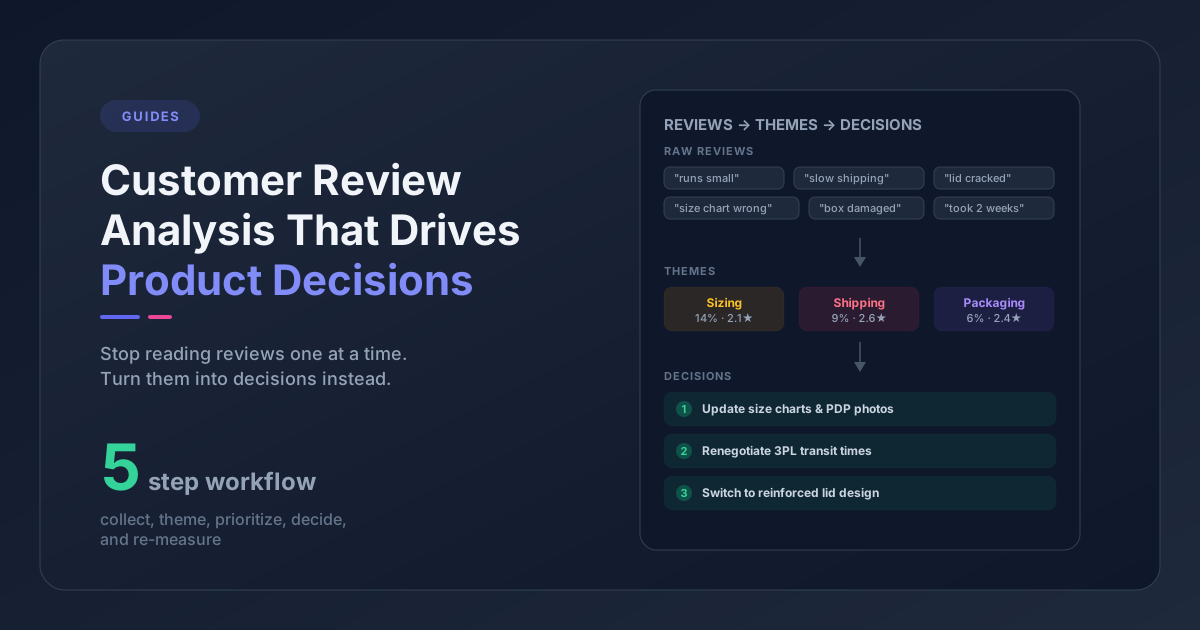
A useful framework for classifying emerging negative review trends sorts them into three buckets - product defects, communication gaps, and expectation mismatches:
| Category | Example | Response |
|---|---|---|
| Product defect | "zipper breaks after one use" | QC investigation, possible recall |
| Communication gap | "didn't realize the item was a set" | Update product description, FAQ |
| Expectation mismatch | "smaller than I expected" | Add size reference photo, dimension callout |
Communication gaps and expectation mismatches are often faster to fix than product defects - and they're frequently responsible for negative reviews that look like quality problems on the surface.
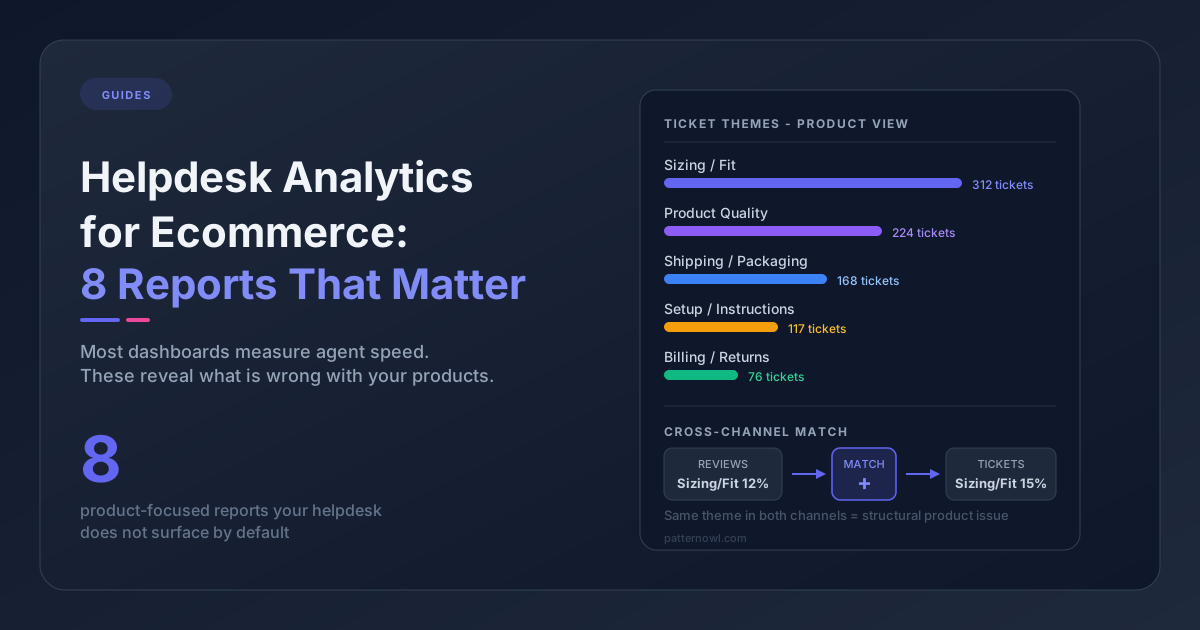
Verify with tickets. If a theme is emerging in reviews, check your support tickets for the same period. A quality issue that customers are writing reviews about is almost certainly generating tickets too. If you see the theme in both channels, the signal is stronger and the urgency is higher. (Cross-referencing is much easier when you analyze reviews and support tickets together.)
Quantify before escalating. When you bring a trend to your product or ops team, bring numbers. "Customers are complaining about the zipper" is noise. "Zipper-related complaints grew from 4% to 18% of all reviews for SKU-4471 in the last 45 days, and we've had 23 tickets in the same period" is something people act on.
Set a resolution checkpoint. If you make a change in response to a trend, mark the date and check the data 30-60 days later. Did the theme decline? Did sentiment improve? Closing this loop is how you build confidence in your data and demonstrate the value of the monitoring practice.
Building a Review Trend Monitoring Habit
Doing this once doesn't work. The trends only show up if you're looking on a schedule - because you're comparing this week to last week, this month to last quarter. A one-off audit gives you a snapshot, not a trend.
Here's a minimal cadence that works for most DTC brands (for a full meeting agenda, see how to run a weekly customer feedback review):
Weekly (15 minutes): Check your review volume and flag any week-over-week spikes in total volume or in specific themes. This is a quick sanity check - you're looking for anything that jumps out, not a deep analysis.
Monthly (30-60 minutes): Pull your theme breakdown for the month. Compare it to last month and last quarter. Identify any themes that changed by more than 20%. Write one sentence about what might be causing each shift. This becomes your standing agenda item for your monthly product or ops review.
Quarterly (1-2 hours): Do a deeper review of long-run trends. Which themes have been consistently worsening for multiple quarters? Which have improved? What changes did you make, and which ones actually showed up in the data? This feeds into your roadmap and QC prioritization.
The brands that win at this aren't smarter - they're just looking at the right data on a schedule. Your star rating will tell you eventually. The question is whether you find out in time to do something about it.
Frequently Asked Questions
What are ecommerce review trends?
Ecommerce review trends are changes in the volume, sentiment, and theme composition of customer reviews over time. Unlike a static star rating, review trends show whether specific complaints or compliments are accelerating, emerging, or declining - typically weeks before those shifts show up in your average score.
How do you track review trends for an ecommerce store?
Track review trends in four steps: (1) tag every review with 2-3 themes from a fixed taxonomy, (2) record monthly counts per theme, (3) flag any theme that changes by more than 20% month-over-month, and (4) record sentiment alongside counts. Below about 200 reviews/month a spreadsheet works; above 500/month, AI-powered theme extraction is required.
What is the difference between a star rating and a review trend?
A star rating is a snapshot average; a review trend is a directional signal. Star averages are lagging indicators that take weeks or months to reflect new problems because they're diluted by historical positive reviews. Review trends - tracked at the theme level - surface emerging issues 4-8 weeks earlier.
How often should I review my ecommerce review trends?
Most DTC brands benefit from a three-tier cadence: weekly (15 minutes for volume spike checks), monthly (30-60 minutes for theme breakdown vs. last month and last quarter), and quarterly (1-2 hours for long-run analysis tied to roadmap and QC).
What's the earliest signal that a product issue is forming?
Support tickets typically show new problems 1-2 weeks before reviews. The strongest early-warning system combines support ticket theme monitoring with review theme monitoring - so a sudden ticket spike on a theme triggers investigation before it bleeds into the public review corpus.
Pattern Owl is purpose-built for tracking ecommerce review trends - theme emergence, sentiment shifts, and volume spikes - across reviews and support tickets, with date-range comparison so you see trends as they form, not after the fact. Start free.