You're watching your dashboards. Revenue looks stable. Your average rating is holding at 4.2 stars. Support ticket volume is normal. Everything seems fine.
Then Q3 hits and repeat purchase rate drops 15%. You scramble to figure out what happened - but the churn signals were sitting in your ecommerce customer reviews and support tickets for months. You just weren't reading them the right way.
Most ecommerce churn analysis focuses on behavioral data: purchase frequency gaps, declining email engagement, falling average order values. Those metrics are useful, but they're lagging indicators. By the time a customer's purchase frequency drops, they've already mentally checked out.
The leading indicators live in what customers write. Review text and support ticket language contain predictable patterns that show up weeks or months before a customer disappears. Here are six of them.
6 Churn Signals Hiding in Your Customer Reviews and Tickets
1. The Lukewarm Endorsement
This is the most dangerous signal because it looks positive. Three-star reviews with vague language: "It's fine." "Does the job." "Not bad." "Decent quality for the price."
These aren't complaints. They won't trigger any alert. But they represent customers who aren't dissatisfied enough to return the product - and aren't satisfied enough to come back. Research from the Kellogg School at Northwestern shows that the written content of reviews reveals product development opportunities that aggregate ratings completely obscure. Lukewarm language is one of those opportunities - it's a customer telling you "I have no reason to stay loyal."
What it sounds like: "Works as described." "It's okay." "Decent." "Nothing special but gets the job done."
Why it predicts churn: Customers with neutral-to-mild sentiment have no switching cost. The moment a competitor offers something marginally better - or just runs a good ad - they're gone. A 4.3-star average can mask serious problems if you're not reading the language behind the number.
2. The Competitor Name-Drop
When customers mention other brands in their reviews or tickets, pay attention. It doesn't have to be negative. Even neutral comparisons signal that the customer is actively evaluating alternatives.
"I've been looking at [competitor] and they include free shipping."
"The quality is good but [competitor brand] has a better warranty."
"Thinking about switching to [alternative] for my next order."
This signal is especially strong in support tickets, where customers sometimes mention competitors as leverage ("I'll just go to X instead"). But even in reviews, a name-drop means your product is being measured against a specific alternative - not just against the customer's expectations. That's a fundamentally different mental state.
What to track: Any review or ticket that mentions a competitor by name. Even one or two per month warrants investigation. If you see a cluster mentioning the same competitor, you have an urgent positioning problem.
3. Declining Review Detail
This one requires tracking individual customers over time, which most stores don't do. But the pattern is telling.
A customer's first review is three paragraphs. They talk about the packaging, the feel of the material, how it compared to what they expected. Their second review is a paragraph. Their third is a sentence: "Good as always."
That's not loyalty stabilizing. That's engagement fading. The customer who wrote three paragraphs was emotionally invested in your brand. The customer who wrote "good as always" is on autopilot - and autopilot customers are one competitor ad away from switching.
According to research on silent churn, this kind of gradual disengagement shows up in review language before it appears in purchase behavior. The reviews get shorter. The language gets more generic. The emotional investment drops to zero - and then so does the customer.
What to look for: Customers whose review length and specificity decrease over time. This is harder to spot manually but becomes obvious when you analyze feedback text systematically.
4. The Resolved-But-Bitter Ticket
Your support team closes a ticket as "resolved." The metrics look great - fast response time, issue addressed, customer confirmed. But read the customer's final message:
"I guess that works."
"Fine, thanks."
"Okay, I'll figure it out."
"Sure, whatever."
These responses technically confirm resolution. But the tone signals frustration that hasn't been addressed - just suppressed. The customer isn't satisfied. They've given up on getting what they actually wanted. That's worse than an open complaint, because a complaint gives you a chance to fix things. Resigned acceptance gives you nothing but a ticking clock.
A study of churn risk factors found that customers who express dissatisfaction and receive inadequate resolution are significantly more likely to churn than customers who never complained at all. The resolution didn't help - it just confirmed that complaining wouldn't fix anything.
What to watch: Post-resolution sentiment in support tickets. A ticket marked "closed" with language like "fine" or "I guess" should be flagged for follow-up, not celebrated as resolved.
5. Rising Ticket Frequency From the Same Customer
One support ticket is normal. Two in a month might be coincidence. Three or more in a short window - even if each issue is minor and gets resolved quickly - is a pattern.
Customers who keep contacting support aren't experiencing random bad luck. They're experiencing cumulative friction. Each individual issue seems small: a delayed shipment, a confusing return label, a product that doesn't quite match the listing. But the compound effect is a customer whose patience is eroding with every interaction.
The dangerous part: your support metrics might look great. Each ticket was resolved quickly. Customer satisfaction surveys come back neutral or positive. But you're measuring individual interactions, not the trajectory. Three "resolved" tickets in six weeks is a customer who's running out of reasons to stay.
What to track: Ticket frequency per customer over rolling 30/60/90 day windows. A sudden increase in contact rate - regardless of what each ticket is about - is one of the strongest churn predictors available in feedback data.
6. The Silence After the Storm
A customer files an angry review or a heated support ticket. Your team responds - maybe offers a discount, maybe explains the situation, maybe processes a return. And then... silence.
No reply to the follow-up. No next purchase. No further reviews. Just gone.
This silence is informative. A customer who responds to your outreach - even to argue - is still engaged. A customer who goes completely quiet after a negative experience has made their decision. They didn't forgive you. They just stopped caring enough to tell you about it.
Research suggests that 56% of unhappy customers never complain - they just leave. The ones who do complain and then go silent are telling you that your response wasn't enough to keep them. That's a closed chapter, not a resolved issue.
What to watch: Customers who had a negative interaction (1-2 star review, heated ticket) and then show no engagement in the following 60-90 days. That silence is your answer.
Why Ecommerce Stores Miss These Churn Warning Signs
Three structural problems keep ecommerce stores from catching these retention signals in customer feedback:
The volume problem. You can't read every review and every ticket when you're processing hundreds or thousands per month. The signals described above are subtle - they require reading language, not just counting stars. Manual review doesn't scale.
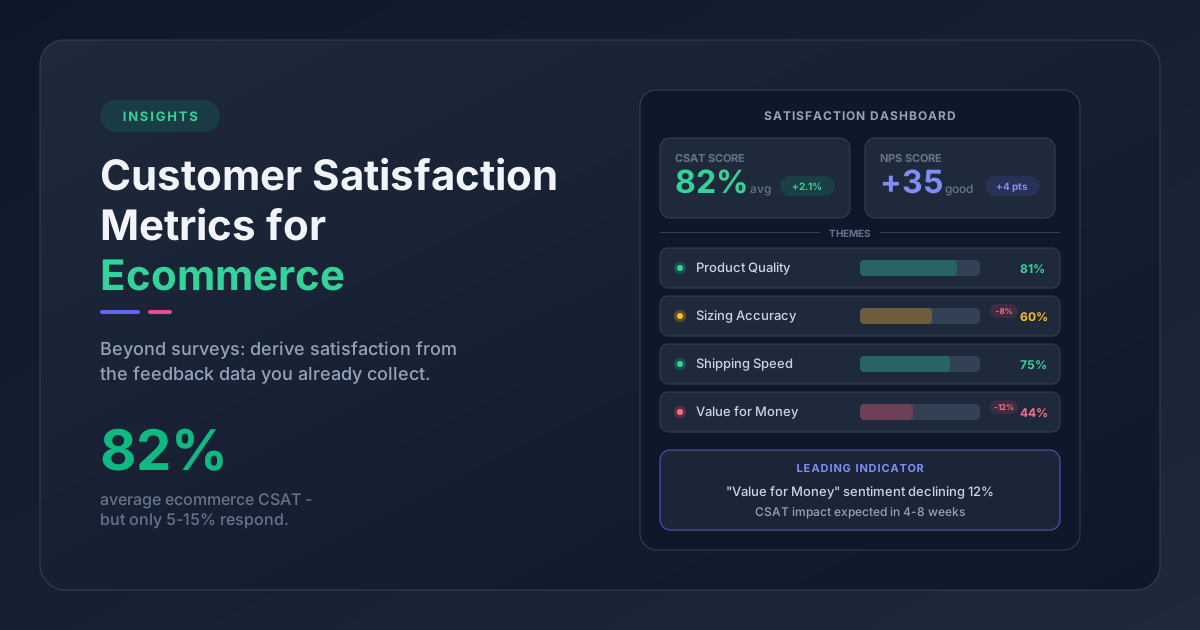
Star ratings create false confidence. A 4.2 average feels safe. But if 30% of your 3-star reviews contain lukewarm language and 15% of your 4-star reviews mention competitors, your "safe" average is hiding real vulnerability. Star ratings are the worst kind of vanity metric - they look actionable but aren't.
Support teams measure the wrong things. Resolution time. First-contact resolution rate. Ticket volume. These are operational metrics. They tell you how fast your support team works, not whether customers are actually satisfied with the outcome. Post-resolution sentiment and per-customer ticket frequency rarely get tracked.
Building an Ecommerce Churn Early Warning System
Recognizing these customer churn warning signs in reviews is the first step. Catching them consistently requires moving from reading individual reviews to analyzing feedback text at scale. Here's what that looks like in practice:
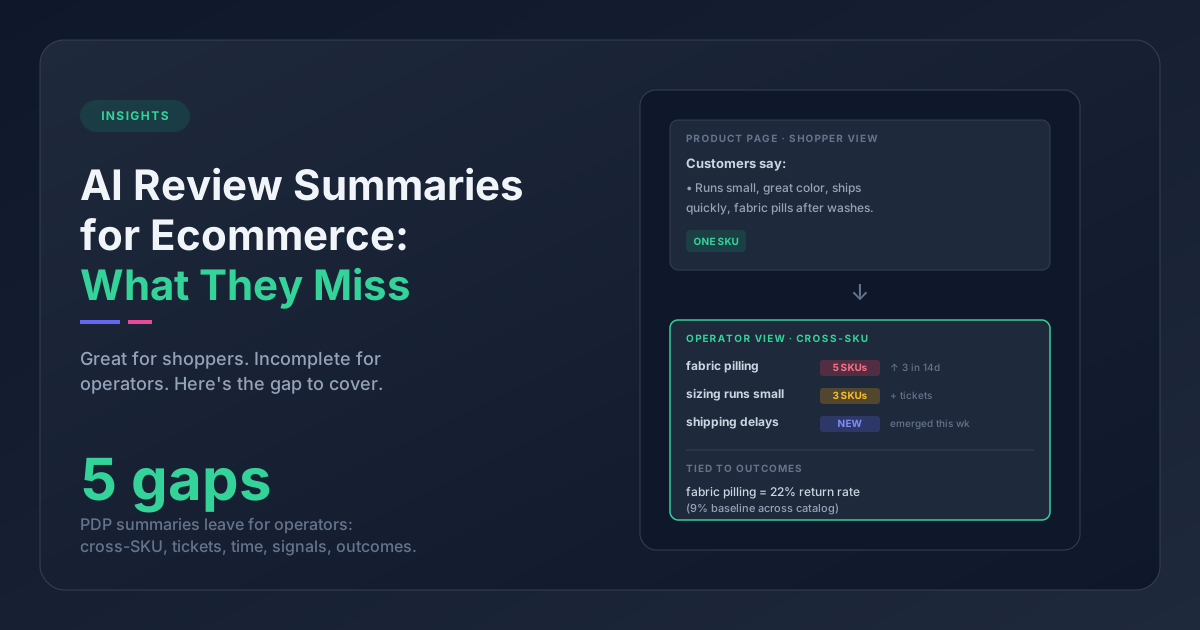
Extract themes across all feedback channels. Reviews and support tickets often contain the same friction points described in different language. A review that says "runs large" and a ticket asking "how do I exchange for a smaller size" are the same signal. Analyzing reviews and tickets together surfaces patterns that either channel alone would miss.
Track sentiment trends per product, not just overall. An overall sentiment score can stay stable while a specific product's sentiment craters. Product-level tracking catches problems before they spread to your aggregate numbers.
Cross-reference signals. The most urgent churn risk isn't any single signal - it's the intersection. A product with lukewarm reviews AND rising ticket volume AND competitor name-drops is a retention emergency. Each signal alone might be noise. Together, they're a pattern.
Tools like Pattern Owl automate theme extraction across reviews and support tickets, making it possible to detect product-level issues before they show up as churn in your revenue numbers.
What to Do When You Spot the Signals
Knowing the signals exist is the first step. Acting on them is where retention actually improves.
Prioritize by volume, not severity. A single angry review is dramatic but not necessarily actionable. Thirty lukewarm reviews about the same product are a pattern that will cost you customers. Look for which signals appear most frequently across your customer base.
Close the loop on bitter resolutions. When you spot resolved-but-frustrated tickets, follow up personally. Not with a survey - with a human message. "I saw your recent experience and wanted to make sure we actually solved the problem." That kind of follow-up can close the feedback loop and recover customers who've mentally checked out.
Feed text insights back to product. Your support and review data contains more product intelligence than most internal roadmap meetings. When multiple customers describe the same friction in their own words, that's the most honest product feedback you'll ever get. Make sure it reaches the people who can act on it.
Frequently Asked Questions
What are the most common churn signals in customer reviews?
The six most common text-based churn signals are: lukewarm endorsements (neutral language in 3-star reviews), competitor name-drops, declining review detail over time, resolved-but-bitter support tickets, rising ticket frequency from the same customer, and complete silence after a negative experience.
How can ecommerce stores detect silent churn from customer feedback?
Silent churn shows up as gradually shorter reviews, increasingly generic language, and customers who stop engaging after negative experiences. Detecting it requires analyzing feedback text at scale rather than relying on star ratings or support resolution metrics alone.
What is the difference between leading and lagging churn indicators?
Lagging indicators like declining purchase frequency and falling average order values show churn after it happens. Leading indicators in review and ticket text - such as lukewarm language, competitor mentions, and resigned support responses - appear weeks or months before purchase behavior changes.
Start with one signal. Pick the one that's easiest to check in your store right now - lukewarm endorsements are a good place to begin, since you can filter by 3-star reviews and scan for vague language in minutes. If you spot a pattern, you've found your first retention lever. Pull that thread, and the rest of these signals will start surfacing on their own.