Most ecommerce brands are great at collecting reviews. You've got Judge.me or Yotpo or Stamped pulling in star ratings. You display them on product pages. You respond to the occasional negative one. Maybe you share a glowing five-star review on Instagram.
And that's where it stops.
The reviews look nice. They help conversions. But the actual content - the specific complaints, the recurring praise, the patterns across hundreds of data points - never makes it into a product decision, a process change, or a supplier conversation. You never close the feedback loop in your ecommerce store, because the loop was never designed to close. It was designed to look good in a widget.
That's costing you more than you think.
The Open Feedback Loop Problem in Ecommerce
Here's a stat that should bother you: 56% of unhappy customers never complain. They don't leave a bad review. They don't open a ticket. They just don't come back.
The customers who do leave feedback - reviews, support tickets, social comments - are the vocal minority. They're giving you a signal that represents a much larger group of people who had the same experience but said nothing. When you collect that ecommerce customer feedback and only use it as social proof, you're ignoring what it's actually telling you.
The result? The same product issues keep generating returns. The same complaints keep hitting your support queue. The same customers keep churning for reasons you could have fixed months ago. Think about it this way: if your average order is $60 and 5% of returns are caused by a fixable issue your reviews have been flagging for months, that's real money walking out the door every week. Multiply that across your catalog and the hidden cost of ignoring feedback adds up fast.
An open loop looks like this: customer leaves feedback → you display it (or resolve the ticket) → nothing changes → customer leaves.
A closed loop looks like this: customer leaves feedback → you spot a pattern → you make a change → you tell customers what changed → trust deepens.
The difference between these two is the difference between using reviews as decoration and using them as a business system.
The Spot-Sort-Ship-Share Framework
Closing the feedback loop doesn't require a massive CX overhaul. It requires four steps, repeated consistently. We call it Spot-Sort-Ship-Share.
Spot: Find the Pattern, Not Just the Complaint
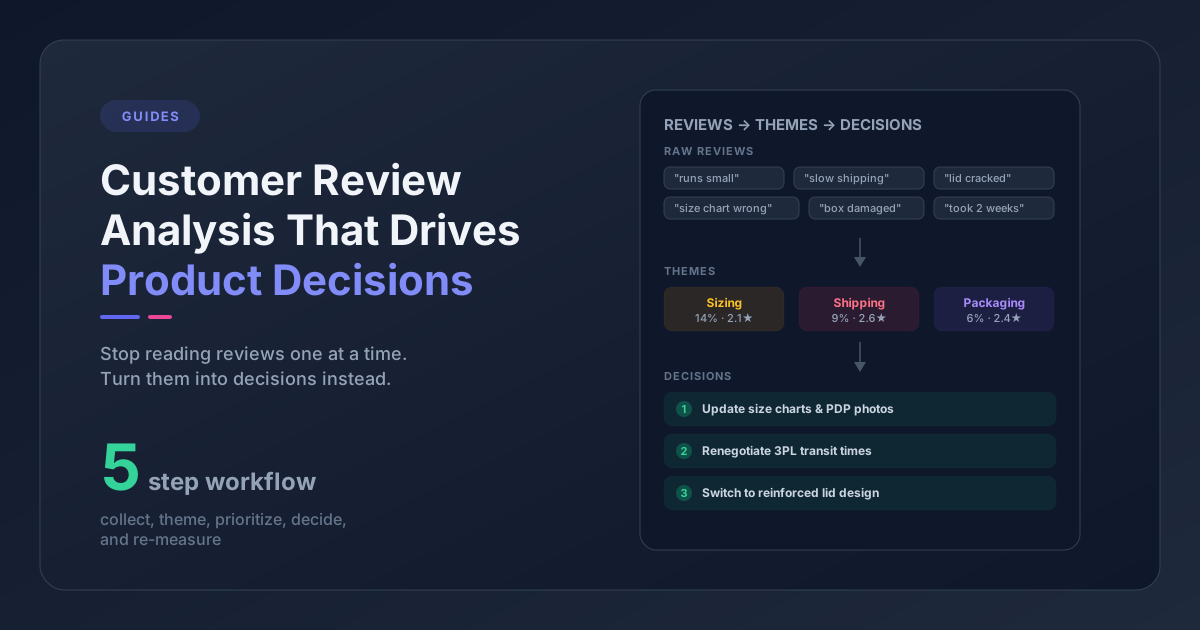
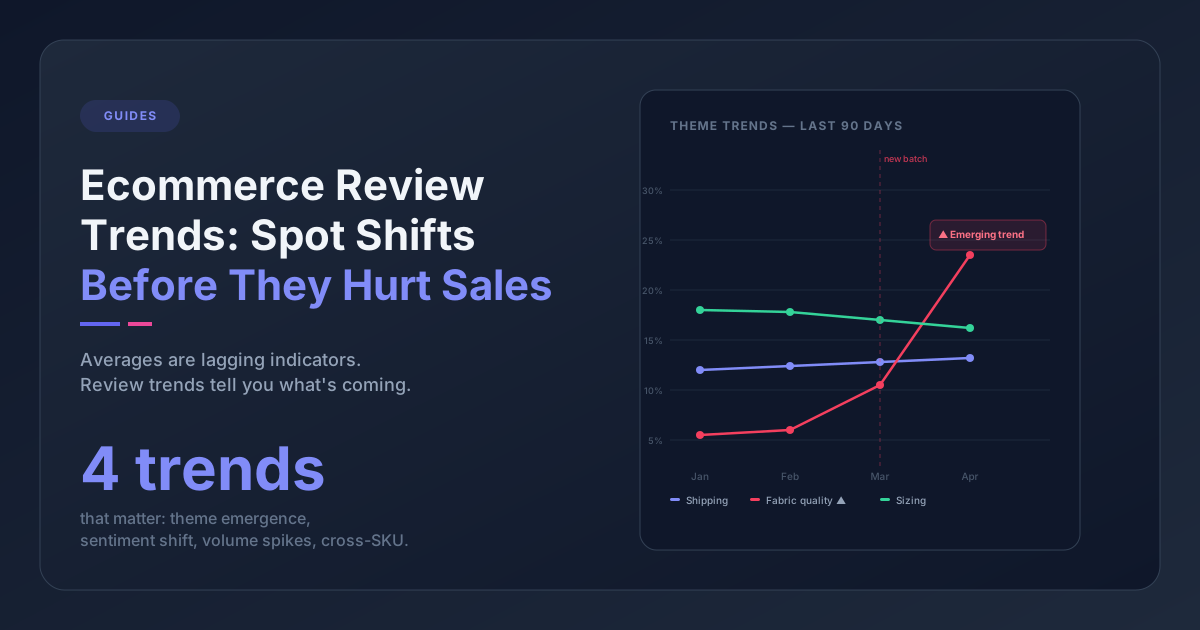
A single review saying "the color looked different in person" is one person's opinion. Fifteen reviews mentioning color inconsistency across three months is a product photography problem - or a supplier issue - that's actively driving returns.
The key is reading reviews and support tickets together, not in isolation. Your support team sees individual tickets. Your marketing team sees individual reviews. Nobody is looking at both channels side by side and asking: what theme keeps showing up?
This is where most ecommerce brands break down. Not because they don't care, but because the data lives in silos. Reviews are in your review app. Tickets are in Gorgias or Zendesk or eDesk. Nobody has the time to manually cross-reference them.
Whether you do it manually (read the last 30 reviews and 20 tickets for your top product right now) or with a tool that categorizes feedback automatically, the goal is the same: find the recurring themes.
Sort: Prioritize by Business Impact
Not every pattern needs action. A handful of customers wishing you offered more colors is interesting, but it's not urgent. Twenty percent of buyers reporting sizing issues on your best-seller is urgent - because it's directly tied to returns, exchanges, and lost repeat purchases.
Sort your feedback themes by:
- Return impact - Is this theme connected to product returns? That's direct cost.
- Repeat frequency - How many customers mention it? One-offs don't matter. Trends do.
- Revenue exposure - Is this affecting a high-volume product or your entire catalog?
You're not trying to fix everything. You're trying to identify the one or two changes that would eliminate the most recurring friction.
Ship: Make the Change
This is the step that's actually easiest but gets skipped because nobody connects the feedback to the decision. Once you've identified a high-impact pattern, the fix is usually straightforward:
- Sizing complaints → update the size chart, add fit notes to the product description
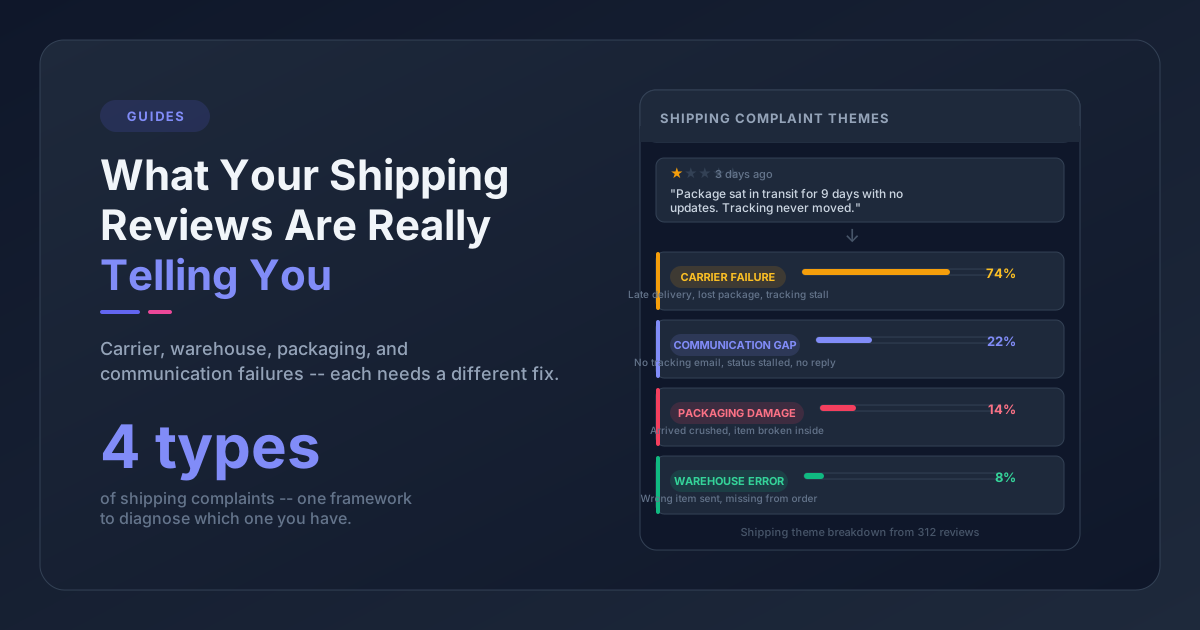
- Packaging damage reports → switch to sturdier mailers, add internal padding
- "Not as described" reviews → reshoot product photos, update copy to set accurate expectations
- Ingredient or material concerns → add FAQ section, highlight key details higher on the page
These are feedback loop product improvements - small, concrete changes you can ship in a week. The important thing is that each change is directly traceable to what customers told you.
Share: Tell Customers What Changed
This is the step almost every ecommerce brand skips, and it's the one that actually closes the loop.
You fixed the size chart. You improved the packaging. You updated the product photos. Great. But if nobody knows, the feedback loop stays open. Customers who complained still assume nothing changed. Potential buyers who read old reviews still see the complaints without knowing they've been addressed.
Close the loop by communicating:
- Email recent buyers: "Based on your feedback, we updated our size chart for [Product]. Here's the improved version."
- Update the product page: Add a note like "Updated March 2026: we've improved our size guide based on customer feedback."
- Respond to the original reviews: A public reply saying "Thanks for flagging this - we've since updated our sizing to address this" builds trust with every future reader.
- Post it on social: "You told us our packaging wasn't holding up. We listened. Here's what changed." That's real content, not manufactured brand storytelling.
This step turns a negative into a trust signal. It shows customers that their feedback matters, which makes them more likely to buy again - and more likely to leave feedback in the future.
Why Ecommerce Brands Fail to Close the Feedback Loop
If the framework is this simple, why don't more brands do it?
Two reasons. First, the feedback data is scattered. Reviews live in one system, tickets in another, and nobody has a unified view. The patterns are invisible because the data isn't connected. Second, there's no habit. Nobody owns the customer feedback loop. Marketing owns reviews as social proof. Support owns tickets as things to resolve. Product might never see either one.
The fix isn't a new tool (though tools help). It's a decision: someone on your team takes 30 minutes a week to read the latest reviews and tickets together, look for themes, and ask "what should we change?"
If you want to automate that pattern detection, Pattern Owl pulls reviews and support tickets from any platform, extracts themes automatically, and shows you where to focus. But even without a tool, the framework works - it just takes more time.
How to Close the Feedback Loop Starting This Week
You don't need to overhaul your entire operation. Start with one product:
- Pick your highest-volume product
- Read its last 30 reviews and 20 support tickets
- Write down every recurring theme you notice
- Pick the one with the clearest business impact
- Make the change, then tell your customers about it
That's one closed loop. Do it once and you'll see what you've been missing. Do it every week and you'll stop wondering why the same complaints keep showing up - because you'll have already fixed them.
Frequently Asked Questions
What does it mean to close the feedback loop in ecommerce?
A customer feedback loop is the process of collecting feedback, identifying patterns, making product or process changes, and communicating those changes back to customers. Most ecommerce brands only do the first step - collecting reviews and displaying them. Closing the loop means completing the full cycle so customers see that their feedback led to real improvements.
How long does it take to close a customer feedback loop?
A single loop can be closed in a week. Read your recent reviews and tickets, find a recurring theme, make the change (update a size chart, improve packaging, fix product copy), and email affected customers. The time investment is 30 minutes of reading plus whatever the fix requires. Building it into a weekly habit is what creates lasting results.
What tools help close the ecommerce feedback loop?
You can close the feedback loop manually by reading reviews and support tickets together and looking for patterns. Tools like Pattern Owl automate the pattern detection step by pulling feedback from any platform, extracting themes, and showing you where to focus. The tool speeds up the Spot and Sort steps - but the Ship and Share steps are always on you.