To categorize and track customer complaints in ecommerce, build a shared taxonomy (not free-text tags), record every complaint against it, and measure volume trends by category so you can prioritize fixes that cut complaint rates at the root.
Your support team resolved 47 tickets last week. Your review responses are fast. Customer satisfaction scores look decent. But the same complaints keep coming back, month after month - sizing issues, shipping delays, products that don't match the listing photos. If you want to categorize and track customer complaints in your ecommerce store, the first step is admitting that what you're currently doing isn't working.
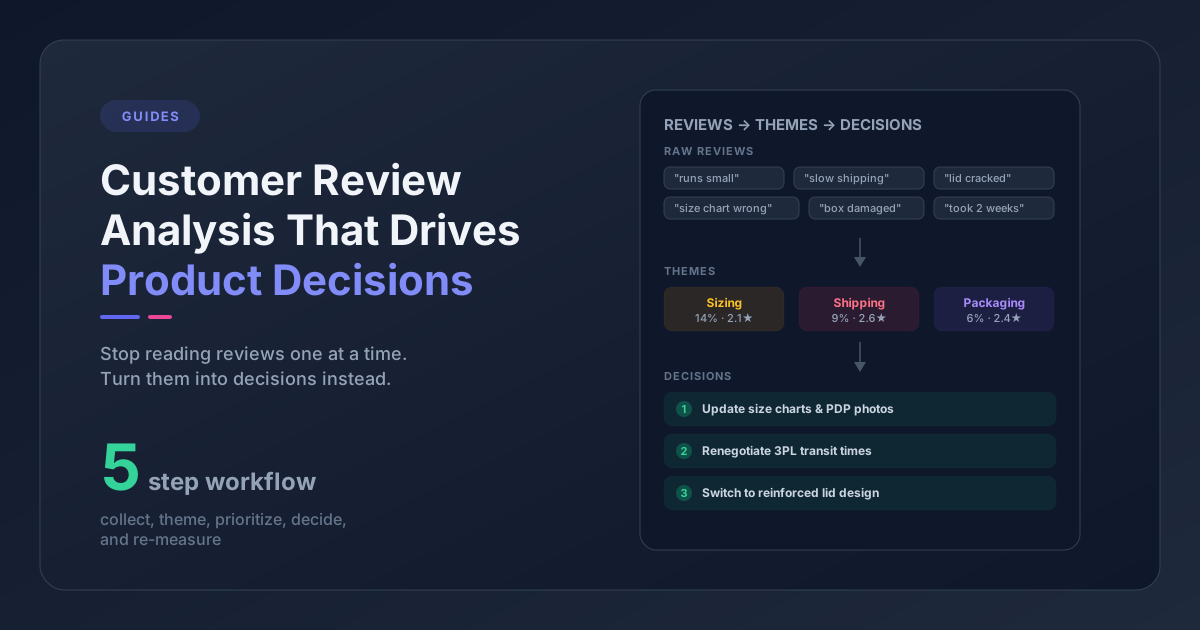
That's because you're handling complaints, not analyzing them. There's a big difference. Handling means each complaint gets resolved individually: refund processed, replacement shipped, apology sent. Ecommerce complaint analysis means treating those complaints as a dataset - categorizing them, spotting the patterns, and fixing root causes so they stop coming in.
Most ecommerce brands are stuck in handling mode. They're great at responding but never step back to ask: which complaint categories are growing? Which products drive the most complaints? Which issues correlate with returns? The result is a support team that runs faster and faster on a treadmill that never moves.
Here's how to build a complaint tracking system that actually reduces complaint volume over time.
How to Categorize Customer Complaints in Your Ecommerce Store
Before you can track complaints, you need a consistent way to label them. That's your complaint taxonomy - a fixed set of categories you apply to every complaint, whether it arrives as a 1-star review on Judge.me, a support ticket in Gorgias, or an angry email.
Start With 6-8 Categories, Not 30
The biggest mistake is overcomplicating the taxonomy. Thirty categories sounds thorough, but nobody tags consistently when they have thirty options. Start with categories that map to teams and actions in your business:
| Category | What It Covers | Who Owns It |
|---|---|---|
| Product Quality | Durability, materials, defects, construction | Product team |
| Sizing & Fit | Runs large/small, inconsistent across styles, measurements wrong | Product + Content |
| Product Accuracy | Doesn't match photos, description misleading, color is off | Content team |
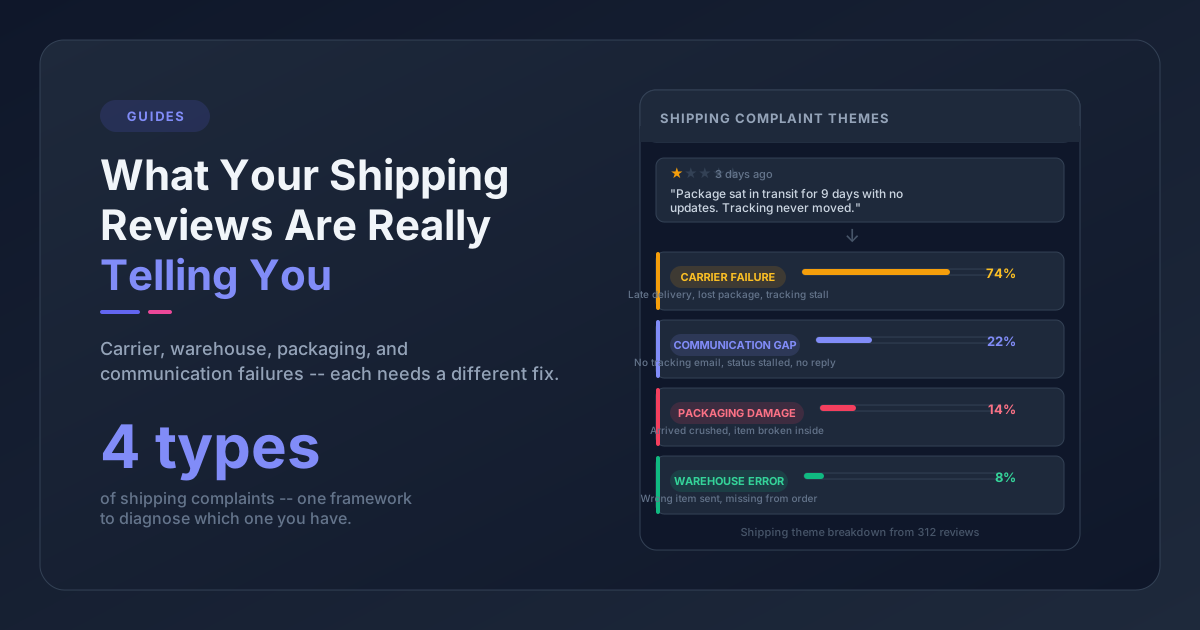
| Shipping & Delivery | Late delivery, damaged in transit, wrong item shipped | Operations |
| Packaging | Cheap packaging, no protection, bad unboxing experience | Operations |
| Returns & Refunds | Confusing policy, slow refund, RMA process problems | Support + Ops |
| Customer Service | Slow response, unhelpful agent, can't reach support | Support team |
| Value & Pricing | "Not worth the price," expected more for the cost | Product + Marketing |
You already have a version of this if you've categorized your broader customer feedback. The difference here is that you're specifically tracking the negative end - complaints - which need their own volume tracking and trend analysis.
Add a Second Dimension: Severity
The same category can contain complaints that range from "mild annoyance" to "I'm never buying from you again." A sizing complaint like "runs slightly large but I kept it" is very different from "had to return it, what a waste of time."
Use three severity levels:
- Minor - Customer noticed an issue but kept the product and would likely buy again
- Moderate - Customer was frustrated enough to contact support or leave a negative review, but the issue was resolved
- Critical - Customer returned the product, demanded a refund, or said they won't buy again
This matters for prioritization later. A category with 100 minor complaints is less urgent than one with 30 critical complaints.
Always Tag the Product
This is the step most stores skip, and it's the most important one. Category-level tracking tells you "we have a sizing problem." Product-level tracking tells you "we have a sizing problem with the Classic Hoodie, the Slim Tee, and the Cargo Pants - but not with anything else."
That's the difference between a vague worry and an actionable fix. Every complaint should be tagged with the specific product (or product line) it relates to. Without this, you're missing the product-level patterns that make complaint data actually useful.
How to Track Customer Complaints by Category Over Time
Categorizing complaints is step one. Tracking them over time is where the real value appears - because a single snapshot tells you what's wrong today, but a trend tells you whether things are getting better or worse.
The Minimum Viable Tracking System
If you're processing fewer than 100 complaints per month, a spreadsheet works fine. Set up columns for:
- Date - When the complaint was received
- Product - Which product or product line
- Category - From your taxonomy (pick one primary category)
- Severity - Minor / Moderate / Critical
- Channel - Review, support ticket, email, social
- Resolution - Refund, replacement, explanation, no action needed
- Notes - Brief description for context
Tag every complaint as it comes in. At the end of each month, pivot the data by category and by product. That's your complaint report.
When to Upgrade From a Spreadsheet
Manual tagging breaks down around 100-150 complaints per month. At that volume, you need either:
- Helpdesk auto-tagging - Platforms like Gorgias, Zendesk, and eDesk can automatically categorize tickets based on keywords and intent detection. This handles support tickets but misses review complaints.
- Theme extraction tools - Tools like Pattern Owl pull complaints from your reviews and support tickets into one report, categorized automatically. No manual tagging, and you get a unified view across all channels.
The key is consistency. Whatever system you use, every complaint needs to land in the same taxonomy so your month-over-month comparisons are meaningful.
What to Measure Monthly
Track these five metrics every month. Together, they give you a complete picture of your complaint landscape:
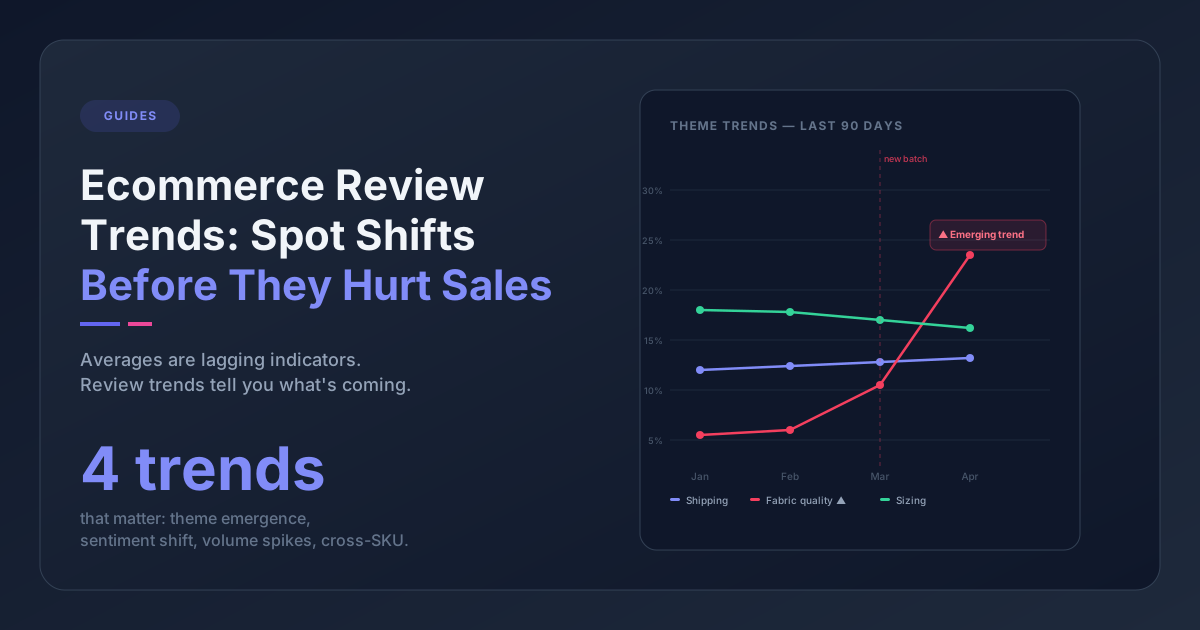
1. Complaint volume by category (trend). This is the core metric. Plot each category's complaint count month over month. A rising line means a problem is getting worse. A falling line after you made a change means your fix worked.
2. Top-complained products. Which 5-10 products generate the most complaints? This list should change over time as you fix things. If the same products sit at the top for months, something isn't getting addressed.
3. Complaint-to-order ratio by product. Raw complaint counts are misleading for products with very different sales volumes. A product with 50 complaints and 5,000 orders (1%) is healthier than a product with 20 complaints and 200 orders (10%). Normalize by order volume when you can. Baymard Institute's research on ecommerce returns shows average return rates around 20-30% - knowing where your complaint-driven returns sit relative to that baseline helps you calibrate urgency.
4. Severity distribution. Is the mix shifting toward more critical complaints? That's a red flag even if total volume stays flat. Ten critical complaints cost more than fifty minor ones - in refunds, returns, and lost customers.
5. Category-to-return correlation. Returns are one of the most expensive consequences of unresolved complaints. Track which complaint categories most often result in returns. In most stores, "sizing & fit" and "product accuracy" will dominate. Those are your highest-ROI categories to fix.
How to Prioritize Customer Complaints in Ecommerce
You've categorized complaints, you're tracking them monthly, and now you have data. The temptation is to try fixing everything at once. Don't. The key to prioritizing customer complaints in ecommerce is ruthless focus.
The Frequency x Impact Matrix
Not all complaints deserve equal attention. Some are loud but rare. Others are quiet but widespread. Cross two dimensions to find your priorities:
| High Frequency | Low Frequency | |
|---|---|---|
| High Impact (returns, churn) | Fix immediately - These are costing you real money every day | Monitor closely - Low volume now but each one is expensive |
| Low Impact (annoyance, no return) | Batch and schedule - Worth fixing but not urgent | Note and move on - Don't invest here yet |
Here's what this looks like in practice. Say your data shows:
- 200 "sizing" complaints/month, 40% resulting in returns → High frequency, high impact. This is priority one. Fix the product specs, update the size guide, add "runs small" notes to listings.
- 15 "ugly packaging" complaints/month, 0% returns → Low frequency, low impact. Note it, but don't redesign packaging this quarter.
- 80 "shipping delay" complaints/month, 10% resulting in returns → High frequency, moderate impact. Investigate whether it's a specific carrier or route causing the delays.
- 5 "website crashed during checkout" complaints/month, unknown churn impact → Low frequency, potentially high impact. Investigate the technical issue but don't panic over the volume.
The Loud Minority Trap
Some complaints feel urgent because they're dramatic. A customer who writes a 500-word angry review about packaging gets attention. But if that complaint type represents 2% of your total volume and never causes returns, it's not where your effort should go.
Conversely, the "it runs a little big but I kept it" reviews barely register emotionally. Nobody on your team panics about them. But if 200 customers said that last month and your return data shows sizing is your #1 return driver, that quiet signal is worth more than any angry review.
Let the data lead, not the emotions.
Who Gets Which Complaint Data (And What They Do With It)
Complaint tracking is only valuable if it changes what you do. Here's how to route complaint insights to the right teams:
Product team gets category trends for product quality, sizing, and value complaints. When sizing complaints spike for a specific product, that's a signal to check the product specs against the actual measurements. When quality complaints increase after a supplier change, that's evidence to bring to the supplier conversation.
Content team gets product accuracy complaints. "Doesn't match the photo" and "description was misleading" are content problems, not product problems. Fix the listing, and the complaints stop. This is often the fastest win - updating product pages based on complaint data can reduce complaints within days.
Operations team gets shipping, packaging, and returns process complaints. If shipping complaints cluster around a specific carrier or region, that's a logistics decision. If packaging complaints mention specific damage patterns, that's a packaging spec change.
Support team gets the customer service category for self-improvement, plus access to all category trends so they can proactively address known issues in their responses.
The most important step is closing the loop: after you make a change, track whether the complaint volume in that category actually drops next month. If it does, the fix worked. If it doesn't, you either fixed the wrong thing or the fix didn't reach customers yet.
Frequently Asked Questions
What are the best complaint categories for ecommerce stores?
Start with 6-8 categories that map to teams in your business: product quality, sizing and fit, product accuracy (photos and descriptions), shipping and delivery, packaging, returns and refunds, customer service, and value/pricing. Avoid going beyond 10 categories - consistency matters more than granularity.
How often should I review complaint tracking data?
Monthly reviews are the minimum for spotting trends. Track complaint volume by category and by product each month. Quarterly, do a deeper analysis: review your top-complained products, check whether fixes reduced complaint rates, and adjust your taxonomy if new complaint types are emerging.
When should I switch from a spreadsheet to a complaint tracking tool?
A spreadsheet works well below 100 complaints per month. Once you're consistently above that, manual tagging becomes unreliable and time-consuming. Helpdesk platforms like Gorgias and Zendesk auto-tag support tickets, and theme extraction tools like Pattern Owl can categorize both reviews and tickets automatically across all channels. See our comparison of feedback analysis tools for more options.
Start today: pick your top 3 complaint categories and count them for 30 days. You don't need a perfect taxonomy or an expensive tool - you need 30 days of data. The patterns will tell you exactly where to focus. And that's when you stop handling complaints one at a time and start fixing the reasons they happen in the first place.