Mining customer feedback for product-page updates takes 5 steps: pull the themes from your reviews and tickets, identify the expectation gaps buyers flag, rewrite descriptions in their language, fix the images and FAQs that cause returns, and retest conversion. Your customers already wrote most of the copy.
Most ecommerce stores have a product page problem they don't realize. The marketing team writes descriptions based on supplier specs and brand guidelines. Meanwhile, customers are writing thousands of words about those exact same products in reviews and support tickets - describing what the product actually looks like, how it actually fits, and what they wish they'd known before buying.
Using customer feedback to improve product pages is one of the highest-return moves an ecommerce team can make. But most stores never connect these two data sources - and the gap between what the page says and what buyers experience is costing real conversions.
When a shopper reads your description that says "premium, oversized fit" and then finds 15 reviews saying "runs tight through the chest," your product page has a credibility problem. The description promises one thing. The social proof contradicts it. The shopper bounces.
This guide walks through how to systematically extract insights from customer feedback and use them to build product pages that match what customers actually experience - which, it turns out, is the product page most likely to convert.
Which Feedback Actually Matters for Product Pages
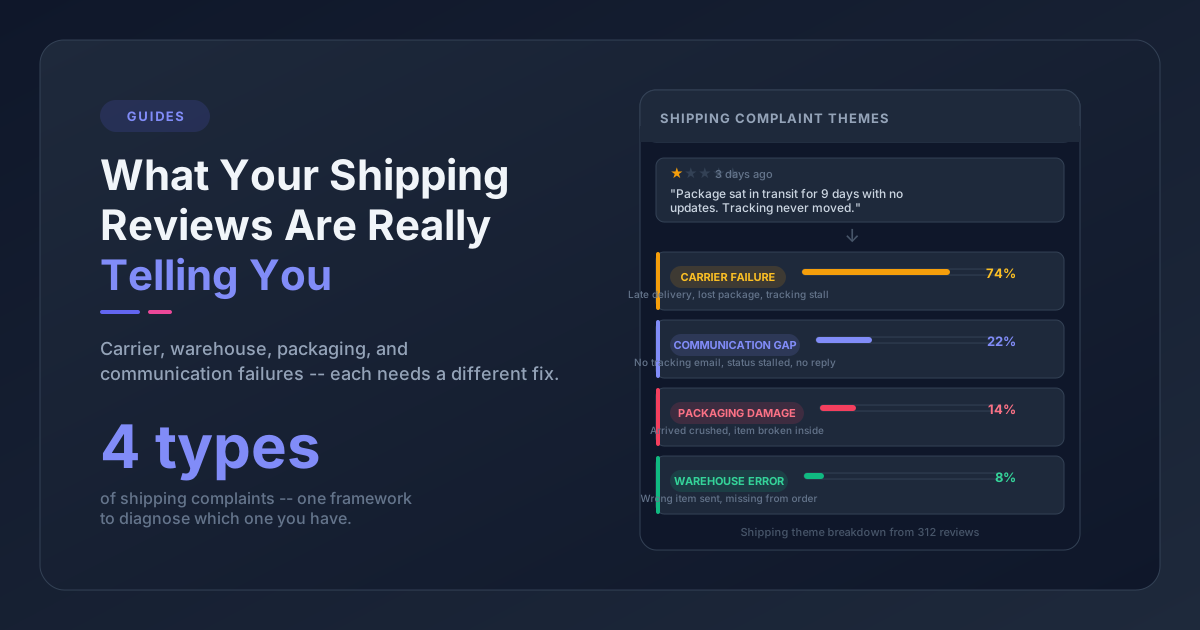
Not everything customers say is relevant to your product pages. A complaint about slow shipping or a rude customer service interaction is worth addressing, but it won't help you improve a product listing.
The feedback that matters for product pages falls into three categories.
Expectation mismatches. These are the most valuable. Any time a customer describes a gap between what they expected and what they received, that's a signal your product page isn't setting the right expectations. These are often the same patterns that help you detect product issues from reviews. Phrases like "not what I expected," "looked different online," "thought it would be more [X]" - these point directly to description or imagery problems.
Missing information. When customers ask the same question repeatedly in support tickets or pre-sale chats - "Is this waterproof?" "What's the weight?" "Will it work with [accessory]?" - your product page is missing information that buyers need to make a decision. Every unanswered question is a potential lost sale.
Comparison language. When reviewers compare your product to competitors or previous versions - "better than [Brand X] because..." or "the old version had [feature] but this one doesn't" - they're telling you what context your product page should include. These comparisons reveal the decision criteria shoppers actually use, which is often different from what your team assumes.
Where do you find this? Reviews are the obvious starting point. But don't overlook support tickets - pre-sale questions are some of the clearest signals that your product pages are leaving gaps. If your store uses a helpdesk platform like Gorgias, eDesk, or Zendesk alongside a review platform like Judge.me or Yotpo, you're sitting on two complementary feedback streams that tell different parts of the same story.
How to Extract Themes From Feedback at Scale
Reading a few reviews gives you anecdotes. Finding patterns across hundreds or thousands of them gives you data you can act on.
For smaller catalogs (under 50 products, a few hundred reviews): Manual reading works. Pull up the reviews for your top products, spend an hour reading, and jot down every instance where a customer describes something differently than your product page does. You'll spot the big themes quickly.
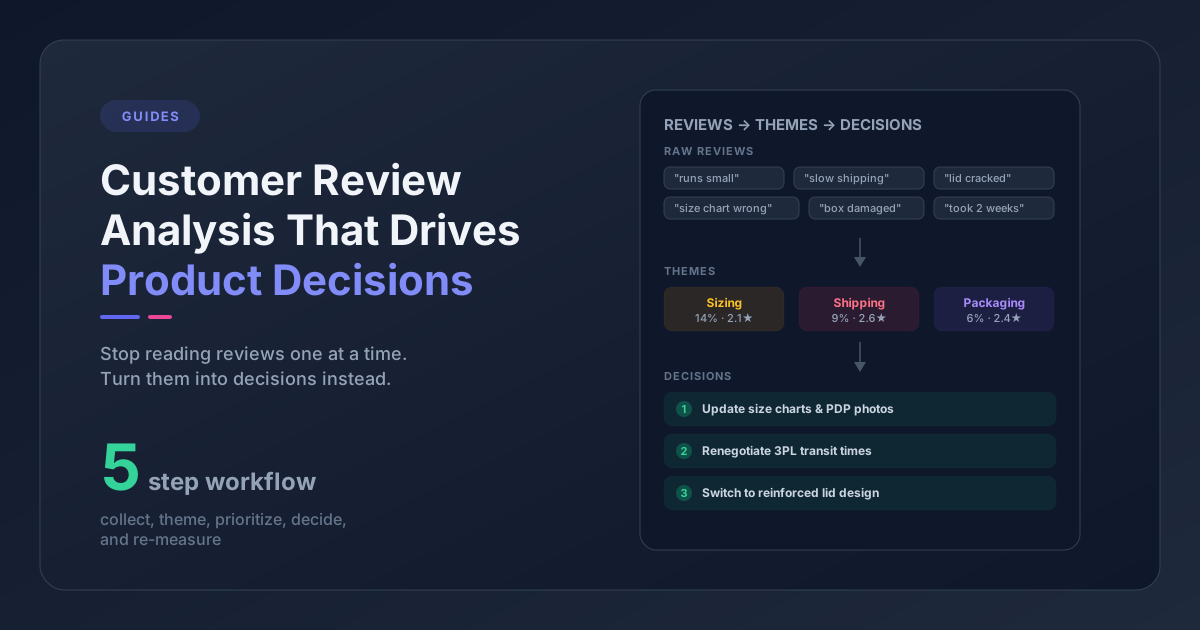
For larger catalogs: Manual reading breaks down fast. You need a way to categorize feedback by theme - grouping "runs small," "order a size up," and "tight in the shoulders" under a single "sizing" theme, for example. Spreadsheets work if you're patient, but the real bottleneck is the initial categorization step.
This is where feedback analytics tools earn their keep. Tools like Pattern Owl automatically extract themes from review text and support tickets, grouping complaints and praise into patterns you can sort by frequency and product. Instead of reading 2,000 reviews to find out that 180 of them mention sizing issues, you get that insight in minutes.
Whatever approach you use, the output should be the same: a list of feedback themes, ranked by how often they appear, mapped to specific products.
Five Product Page Elements You Can Improve With Customer Feedback
Once you have your themes, the question is where to apply them. Most product pages have five elements that feedback data can directly improve.
1. Product Descriptions
This is the highest-impact change and usually the easiest to make. Customer reviews improve product descriptions by revealing the gap between what your copy promises and what buyers actually experience. When customers consistently describe your product differently than your marketing copy does, update the copy to match reality.
If reviews say a jacket "feels more like a midweight layer than a heavy winter coat," your description shouldn't promise warmth for sub-zero temperatures. If customers rave about a feature you barely mention - "the hidden pocket is a lifesaver" - give that feature more real estate in the description.
The principle: write descriptions that set accurate expectations, using the language your customers actually use. People search in the same vocabulary they use in reviews. Matching that language improves both trust and SEO.
2. Sizing and Fit Information
Sizing complaints are among the most common themes in apparel, footwear, and accessories reviews - and they're among the most actionable. Generic manufacturer size charts don't capture how a product actually fits on real bodies.
When reviews consistently say a product runs small, large, or fits oddly in specific areas, that information belongs on your product page. Not buried in a generic size chart, but front and center: "Customers report this runs 1-2 sizes small. We recommend ordering up."
This one change can measurably reduce return rates for products with fit issues. It also reduces pre-sale support tickets asking about sizing, which saves your team time.
3. FAQ Sections
Your customers are generating your FAQ content for you in every support ticket and pre-sale chat. If 30 people ask whether a product is dishwasher safe, that's not just a support efficiency problem - it's a conversion problem. Those 30 people represent a much larger group who had the same question and left without asking.
Build FAQ sections from actual questions customers ask. Not the questions your marketing team thinks they might ask, but the ones they demonstrably do. Review the last month of support tickets for each product, pull out the repeated questions, and add them to the page.
Platforms like Shopify, BigCommerce, and WooCommerce all support FAQ sections on product pages either natively or through apps. The hard part isn't the implementation - it's knowing what questions to answer.
4. Product Imagery and Video
"Looks different in person" is a feedback theme that points to a photography or presentation problem. When customers consistently mention color discrepancies, scale confusion ("it's way smaller than I thought"), or material texture surprises, your imagery isn't doing its job.
Feedback data can't take new photos for you, but it tells you exactly which visual gaps to address. If reviews mention color inaccuracy, invest in better color-calibrated photography for those products. If customers are surprised by the size, add a comparison shot with a common reference object. If texture matters, close-up detail shots solve the problem better than any written description.
Customer-submitted photos are especially powerful here. Many review platforms allow photo uploads, and these unfiltered images set expectations more honestly than studio shots ever could.
5. Comparison and Use-Case Context
Some of the most interesting feedback comes when customers compare your product to alternatives or describe unexpected use cases. "I switched from [Brand X] and this is better because..." or "I bought this for hiking but it's actually great for everyday commuting too."
This language is gold for product pages. Comparison context helps shoppers in the decision phase (they're already considering alternatives - give them the comparison on your page instead of making them leave to research it). Use-case context expands who feels like the product is "for them."
If reviews consistently mention comparisons to specific competitors, consider adding a "How it compares" section. If reviewers describe use cases you hadn't considered, incorporate those into your product description or highlight them in a "Great for..." callout.
A Feedback-Driven Product Page Optimization Workflow
Knowing what to fix is one thing. Building a repeatable process is what makes this sustainable. Here's a workflow that works whether you run it manually or with tooling.
1. Collect and group. Pull feedback from all sources - reviews, support tickets, pre-sale questions. Group by product, then by theme within each product.
2. Filter for page-relevant themes. Ignore themes about shipping, packaging, or customer service. Keep themes about the product itself: fit, quality, appearance, functionality, missing information.
3. Prioritize by frequency and value. A theme mentioned in 5% of reviews for a low-traffic product is less urgent than one mentioned in 20% of reviews for your bestseller. Weight by both how often the theme appears and how important the product is to your business.
4. Make specific page changes. For each priority theme, identify the exact element to update - description copy, sizing note, FAQ entry, image, or comparison section. Make the change specific and measurable.
5. Track the impact. After updating, monitor the product's conversion rate, return rate, and support ticket volume. Give it 30-60 days of data before drawing conclusions. If sizing complaints drop after you add better fit guidance, you've validated the approach.
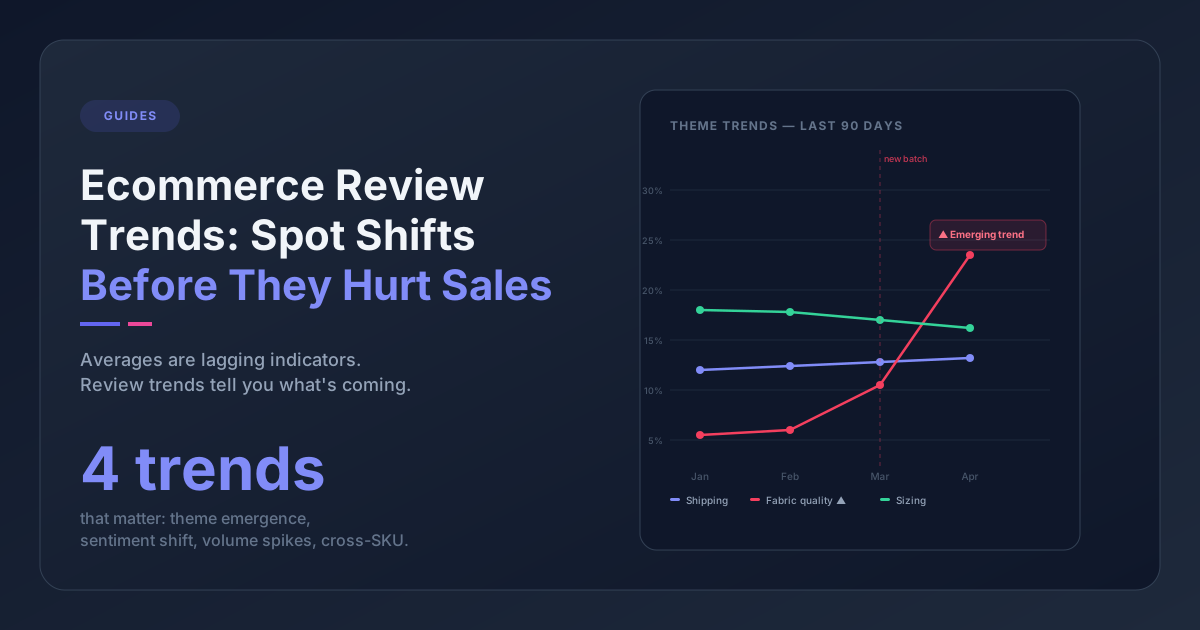
The biggest mistake teams make is treating this as a one-time project. Customer feedback shifts with new product batches, seasonal trends, and evolving customer expectations. Building a quarterly or monthly voice of customer process keeps your product pages current.
Getting Started This Week
You don't need a complete feedback infrastructure to start. Here's the minimum viable version:
-
Pick your 3 highest-traffic products. These have the most reviews and the most to gain from page improvements.
-
Read the last 30 reviews for each. Flag every phrase where a customer describes the product differently than your listing does, mentions something they wish they'd known, or compares it to an alternative.
-
Check your support tickets for those products. What are the top 3 questions customers ask before buying?
-
Make one update per product. Add a sizing note, rewrite a misleading description, or add a FAQ answer. Just one concrete change based on what you found.
That's enough to test whether customer feedback actually improves your pages. If conversions tick up or support tickets drop for those products, you'll know the approach works - and you can decide how to scale it across your catalog.
The data is already there. Your customers have been telling you exactly what your product pages are missing. The only question is whether you're reading it that way.
Frequently Asked Questions
What type of customer feedback is most useful for product pages?
Feedback that describes a gap between expectations and reality is the most actionable. Phrases like "not what I expected," "runs small," or "looks different in person" point directly to specific product page elements you can fix. Pre-sale questions from support tickets are also high-value - they reveal exactly what information your page is missing.
How often should you update product pages based on feedback?
A monthly or quarterly review of feedback themes is a good cadence for most stores. New product launches need more frequent attention - check reviews weekly for the first 30-60 days to catch emerging issues early. If you notice a spike in a specific complaint theme, update the relevant page immediately rather than waiting for the next review cycle.
How many reviews do you need before feedback patterns are reliable?
For most products, 30-50 reviews are enough to spot the dominant themes. If a sizing issue or quality concern exists, it typically shows up in 15-20% of negative reviews within the first 50. Smaller review counts can still be useful for identifying missing information - even 5 support tickets asking the same pre-sale question is a clear signal.
Can customer feedback replace A/B testing for product pages?
They serve different purposes. Feedback tells you what to change - which descriptions are misleading, which information is missing, which photos don't match reality. A/B testing tells you how to present the change for maximum conversion impact. The most effective approach uses feedback to identify the problem and A/B testing to validate the solution.